
AI Hairstyle Changer: Try Looks Before Your Salon Visit | Cliptics
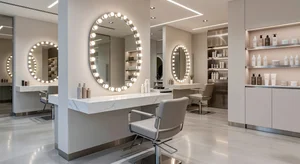
What if you could test out a completely different hairstyle without actually cutting or styling your hair? Like, what if you've been thinking about bangs for months but you're not sure if they'll actually suit your face? Or maybe you're curious about going shorter but the commitment feels too big?
I've been there. Sitting in the salon chair, looking at inspiration photos, trying to imagine how that style would translate to my own hair and face. It's basically guesswork. Sometimes it works out great. Other times? Well, hair grows back eventually.
But here's something interesting. AI hairstyle changers let you preview different styles on yourself before you make any real changes. You upload your photo, choose a style you're curious about, and you see yourself with that exact look. No scissors required.
How This Actually Works
The process is pretty simple. You start with a clear photo of yourself, ideally with your hair pulled back or styled in a way that shows your face clearly. Then you upload this to an AI hairstyle changer.
The tool shows you a range of hairstyle options. Maybe you're curious about a bob. Or layers. Or a completely different length. You select the style you want to try, and the AI generates a preview showing you with that hairstyle.
It's not about measurements or trying to figure out if your hair texture can achieve a certain look. It's purely visual. How does this style look on your face? Does it suit you? That's what you're finding out.
Why I Started Using This
I'll be honest, I used to just show up at the salon with a vague idea and hope for the best. Or I'd bring inspiration photos of celebrities and models, which is helpful, but their faces aren't my face. What looks amazing on them might not work for me at all.
So I started using AI hairstyle changers before salon visits. Now I can test out ideas beforehand. That pixie cut I've been considering? I can see how it might look. Those curtain bangs everyone's doing? Let me preview that before committing.
It's changed how I approach haircuts completely. I'm not going in blind anymore. I'm going in with actual visual references of what works on me specifically.
Testing Styles You Wouldn't Normally Try
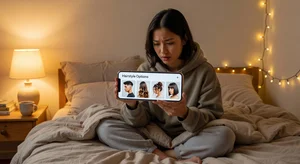
Here's where it gets fun. You can experiment with styles you'd never actually commit to without seeing them first. Always had long hair but curious about a shoulder-length cut? Try it virtually. Want to see what you'd look like with a shag? Go for it.
There's zero risk in previewing. The worst that happens is you decide it's not for you, and you've lost nothing. But sometimes you discover a style you never would have considered that actually looks great.
I've tried probably fifty different hairstyles using AI tools. Some confirmed what I already suspected (yeah, that works). Others completely surprised me (oh wow, I didn't think that would suit me but it totally does). And plenty showed me what to avoid (okay, definitely not doing that).
Bringing Ideas to Your Stylist
One thing I've noticed is that stylists actually appreciate when you come in with these previews. It gives them a much clearer idea of what you're envisioning. Instead of trying to describe what you want or showing them a photo of someone else, you're showing them you with that style.
It makes the consultation process so much smoother. They can see exactly what you're going for, and they can give you better advice about whether it'll work with your hair type, how much maintenance it requires, all that practical stuff.
Plus, if you've tried multiple styles and narrowed it down to your top two or three favorites, you can show those to your stylist and get their professional opinion on which one would work best for you.
Hair Color Exploration Too
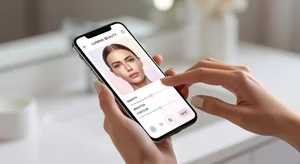
A lot of these tools also let you preview different hair colors. Wondering if you'd look good as a redhead? Curious about going platinum blonde? Want to see if highlights would work for you?
Same concept. Upload your photo, apply the color virtually, see how it looks. It's especially helpful for dramatic color changes where you really need to visualize it before making that kind of commitment.
I used this before going from brown to a lighter shade. Previewed probably ten different shades of blonde and balayage options before deciding which one to actually do. When I finally got it done at the salon, I already knew it would work because I'd seen it.
The Practical Side
Here's my actual workflow now. When I'm thinking about getting a haircut, I'll spend an evening just trying different styles virtually. I save screenshots of the ones I like. Then I narrow it down over a few days, keep coming back to the ones I'm most drawn to.
By the time I book a salon appointment, I know exactly what I want. I show my stylist the previews, we talk about how to achieve that look with my specific hair texture and lifestyle, and we go from there.
It's taken so much stress out of haircuts. I'm not sitting in that chair wondering if I'm making a huge mistake. I've already seen the end result.
What About Different Angles?
One limitation is that most of these tools work with one photo, usually front-facing. So you're seeing how the style looks from the front, but not necessarily from the sides or back.
That's still useful, don't get me wrong. But for styles where the back matters a lot, you might want to try uploading a side profile photo too if the tool allows it. Or just ask your stylist about those angles when you show them your preview.
Beyond Haircuts
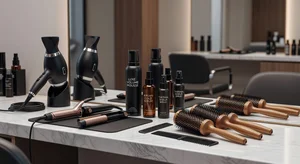
The same technology works for other style changes. Virtual makeup try-on lets you test different looks. Eye color changers show you with different colored contacts. It's all about visualizing changes before you make them.
But hairstyles feel especially important because they're such a big commitment. Bad makeup? Wash it off. Bad haircut? You're living with that for months while it grows out.
When It Makes the Most Sense
This is particularly helpful in a few scenarios. If you're considering a dramatic change (long to short, straight to bangs, natural to bold color), preview it first. If you're trying to decide between multiple styles, preview them all and compare. If you want to show your stylist exactly what you're envisioning, these previews work perfectly.
Even for smaller changes, it's useful. Trying to decide if you want side-swept bangs or straight across? Preview both. Wondering if layers would frame your face better? See for yourself.
The Confidence Factor
Maybe the biggest benefit is just feeling confident about your decision. When you've seen yourself with that new style and you like what you see, walking into the salon feels completely different. You're excited instead of nervous. You know it's going to work.
I've had way fewer haircut regrets since I started doing this. Not zero (stylists are human, hair does unpredictable things sometimes), but way fewer. Because I'm making informed decisions instead of taking leaps of faith.
Getting Started
Most AI hairstyle changers are free and super easy to use. You literally just need a photo of yourself. Take it in good lighting, face clearly visible, and you're set.
Try Cliptics' hairstyle changer next time you're thinking about a change. Upload your photo, try out a bunch of different styles, see what works. You might discover something you never would have considered otherwise.
It's kind of addictive, honestly. Once you start previewing different looks, it's hard to stop. But that's not a bad thing. The more options you explore, the better your final decision will be.
Give it a shot. See yourself with that style you've been curious about. You might surprise yourself with what actually looks good.