
AI Headshots for Remote Teams: Professional Photos Without | Cliptics
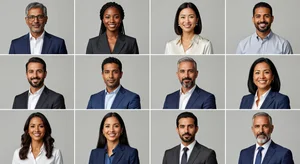
Our company website looked ridiculous.
Half the team had professional headshots from before COVID. The other half had Zoom screenshots, selfies, and one person literally used their high school graduation photo. We looked like three different companies mashed together.
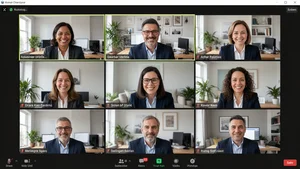
Getting everyone to a photographer was impossible. We had people in six countries across four time zones. Even finding a local photographer in everyone's city would have cost thousands.
AI headshots fixed this in an afternoon for basically nothing.
Why Remote Teams Have the Headshot Problem
Traditional companies could just hire a photographer to come to the office for a day. Everyone gets their photo taken, everyone looks consistent, done.
Remote companies can't do that. You'd have to fly people in or coordinate individual photoshoots in multiple cities. Either option is expensive and complicated.
So most remote teams just accept the mismatched photo situation. Which honestly looks unprofessional on websites, team pages, and client presentations.
How AI Headshots Actually Work
You upload a few regular photos of yourself. Doesn't have to be anything fancy. Just clear shots of your face from different angles.
The AI analyzes your features and generates professional looking headshots with consistent lighting, backgrounds, and styling. All in the same professional format.
For our team, we used the AI headshot generator on Cliptics and set some basic guidelines. Everyone submitted their photos on Monday, by Wednesday we had a full set of matching professional headshots.
The consistency was what impressed me most. Different people, different source photos, but the output all looked like it came from the same corporate photoshoot.
The Cost Difference Is Absurd
Professional headshots from a photographer run about $150 to $400 per person depending on your city. For a 20 person team that's $3,000 to $8,000.
Plus coordinating schedules, potentially paying for travel, finding photographers in multiple locations if your team is scattered.
AI headshots cost basically nothing. Most tools are free or charge minimal fees. Even the paid services are under $50 per person.
We saved probably $5,000 compared to hiring photographers. And got the photos in days instead of weeks of coordination.
What Actually Looks Good vs What Looks Fake
Early AI headshots looked obviously AI generated. Weird lighting, strange skin textures, eyes that didn't quite look right.
Current AI headshot tools are way better. Most people can't tell they're AI generated unless you point it out.
The trick is giving the AI good source material. Clear photos with decent lighting. Front facing shots where your face isn't partially hidden.
One team member submitted only photos with sunglasses or hats. The AI struggled. Another person gave really grainy phone photos. Also problematic.
But when people submitted decent source images, the results were indistinguishable from professional photos.
Setting Team Guidelines Makes Everything Consistent
We created simple rules before anyone generated their headshots. Everyone use the same style setting. Everyone pick the neutral gray background. Everyone do the shoulders up crop.
Without guidelines, people will pick whatever looks good to them personally. You'll end up with the same mismatched look you started with, just AI generated instead of random photos.
The consistency is the whole point. Make sure everyone follows the same format.
Where This Breaks Down
AI headshots work great for websites, internal directories, LinkedIn, presentations. Anywhere you need a professional looking photo.
They don't work well if you need photos for press releases or media coverage. Some journalists specifically ask if images are AI generated now.
They also might not work for highly regulated industries where photo authenticity matters. Banking, legal, government work might require real photography.
For most tech companies, creative agencies, consulting firms, and similar businesses, AI headshots are totally fine.
The Onboarding Win
New hires can generate their headshot before their first day. No waiting weeks for a photoshoot to get scheduled.
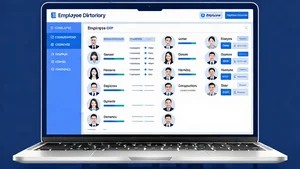
They show up on the website, in Slack, in the internal directory immediately. Feels more welcoming than being the only person without a photo.
We update headshots now when people ask instead of waiting for some theoretical future photoshoot day that never comes.
What About When People's Appearance Changes
Hair color changes, new glasses, facial hair, weight changes. Happens all the time.
With traditional headshots you're stuck with an outdated photo until the next company photoshoot. Which might be years away or never.
AI headshots you can regenerate anytime. Someone gets a new haircut, they upload new photos and generate a fresh headshot that afternoon.
Keeps everyone's photos current without constant photographer coordination.
The Privacy and Consent Reality
Some people are uncomfortable with AI analyzing their face photos. That's valid.
We made AI headshots optional. Anyone who preferred could submit their own professional photo or hire their own photographer with a company stipend.
Most people chose the AI option because it was easier and free, but having the choice mattered for team buy in.
Actually Setting up This
Pick one tool and have everyone use it. Don't let people choose different AI headshot generators or you'll get inconsistent results.
Create a simple guide with exactly what settings to use. Background color, lighting style, crop, everything.
Give people a deadline but make it reasonable. A week or two so people can take good source photos if they don't have any.
Review the submitted headshots before going live. Make sure they all actually match and look professional.
For remote teams stuck with mismatched photos or no photos at all, AI headshots are honestly a perfect solution. Fast, cheap, consistent, and professional looking.
Traditional photoshoots still have their place for things like annual reports or high stakes media. But for everyday professional needs, AI gets you 95% of the way there for 5% of the cost and hassle.
We should have done this two years ago instead of living with our frankenstein photo situation. Better late than never though.