
Turn Images Into 3D Models With AI | Cliptics
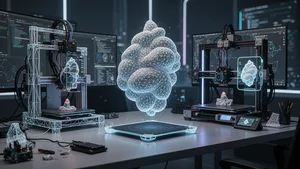
I had a random thought the other night while staring at a product photo on my desk. What if I could just pull that flat image off the screen and spin it around in 3D space? Like, actually grab it and rotate it. See every angle.
That thought led me down one of the most fascinating rabbit holes I've explored this year. Turns out, AI has gotten shockingly good at converting regular 2D images into full 3D models. Not approximate shapes. Not rough blobs. Actual usable models with geometry, texture, and enough detail for gaming, 3D printing, and augmented reality. And the tools doing this right now are genuinely impressive.
So I spent a few weeks testing everything I could get my hands on. Here's what I found, and why this matters way more than most people realize.
The Science Behind the Magic
Before diving into tools, it helps to understand what's actually happening when AI converts a flat image into a 3D model. The process starts with depth estimation. The AI analyzes every pixel in your image and predicts how far away each part of the scene or object is from the camera. Think of it like the AI building an invisible depth map behind your photograph.
From there, it constructs geometry. Vertices, edges, faces. The stuff that makes up every 3D model you've ever seen in a game or a movie. Then it wraps the original image texture around that geometry so the final model actually looks like your source image, not some generic gray shape.
What makes modern AI converters remarkable is that they can infer the parts of an object you can't even see. The back of a shoe. The underside of a car. The hidden side of a building. Neural networks trained on millions of 3D objects have learned what things typically look like from angles that weren't captured. It's prediction, but it's extremely educated prediction.
Tools That Actually Deliver
I tried about a dozen AI image to 3D converters during my testing, and the quality gap between the best and worst is enormous. Here's what stood out.
Meshy has become the go to option for many creators. You upload an image, and within a couple of minutes, you get a textured 3D model you can download in common formats like GLB, FBX, and OBJ. The topology isn't always perfect for animation, but for static renders and 3D printing, it's solid. I was particularly impressed with how well it handled organic shapes like plants and character designs.
Luma AI takes a slightly different approach. Their Genie tool generates 3D models from text prompts as well as images, which opens up interesting creative workflows. You can describe modifications to the generated model and iterate without starting from scratch. The mesh quality tends to be cleaner than most competitors, making it more suitable for game assets.
Kaedim focuses heavily on the gaming and product visualization market. Their models come out with better topology than most AI generated meshes, which matters enormously if you need to rig characters for animation or reduce polygon counts for real time rendering. The tradeoff is that processing takes longer, sometimes up to 15 minutes per model.
Alpha3D targets the e-commerce and AR space specifically. If you need to create 3D product models for online stores or AR try on experiences, their pipeline is optimized for that. Clean models, realistic materials, and direct export to formats that AR frameworks like ARKit and ARCore understand.
And if you're already working with AI generated images, tools like the Cliptics AI image generator can create source images specifically designed to convert well into 3D. Clean subjects with clear edges and consistent lighting tend to produce the best 3D results.
Gaming: Where This Gets Really Exciting
Game developers have been quietly freaking out about image to 3D conversion for good reason. Creating 3D assets has always been one of the most time consuming parts of game development. A single character model can take a skilled artist days or even weeks.
Now imagine generating concept art and then converting it directly into a usable 3D model within minutes. That's not hypothetical anymore. Indie developers I've talked to are already building entire prototype levels this way. They sketch ideas, generate images from those sketches, convert those images to 3D, and populate game environments in a fraction of the traditional time.
The models aren't always production ready. You'll still need to clean up topology, create proper UV maps, and optimize polygon counts. But having a solid starting point versus sculpting from nothing? That changes the economics of game development entirely.
For mobile games especially, where visual fidelity requirements are lower, AI generated 3D assets are getting close to ship quality right out of the converter. I tested several models in Unity and the frame rate impact was reasonable after a quick pass with automatic decimation tools.
3D Printing: From Screen to Physical Object
This is where I personally got the most excited. The idea that you can photograph something, run it through an AI converter, and then physically print it feels almost science fiction. But it works, with caveats.
The biggest challenge for 3D printing is that AI generated meshes often aren't watertight. That means they have tiny gaps or non manifold geometry that slicers can't process properly. Tools like Meshmixer or the automatic repair features in PrusaSlicer can usually fix these issues, but it adds a step.
I tested printing several AI converted models on both FDM and resin printers. Simple objects with clear silhouettes converted and printed beautifully. A coffee mug from a product photo came out surprisingly accurate. Complex objects with thin features or intricate details needed more cleanup. A tree model lost most of its fine branch detail during conversion.
The sweet spot right now seems to be objects with strong, recognizable shapes and moderate detail. Figurines, architectural models, product prototypes, and decorative objects all work well. Highly detailed organic forms still need manual refinement.
Augmented Reality: The Quiet Revolution
AR is probably the application where image to 3D conversion will have the biggest long term impact, and most people aren't paying attention yet. Every major tech company is building AR glasses and mixed reality platforms. All of those platforms need 3D content. Lots of it.
Right now, creating AR content requires 3D modeling skills that most people don't have. But if anyone can convert a photo into a 3D object and place it in AR space? That changes everything. Imagine photographing furniture in a store and instantly seeing it in your living room. Or taking a picture of a landmark and getting a 3D model you can examine from any angle.
The AI text to 3D generator approach takes this even further. You don't even need a source photo. Describe what you want, and the AI creates it in three dimensions, ready for AR placement.
Apple's Vision Pro and Meta's Quest space are already building frameworks that make it easier to import AI generated 3D content. The pipeline from image to AR ready model is getting shorter and more accessible every month.
What's Coming Next
The pace of improvement in this space is staggering. Models released even six months ago look primitive compared to what's available now. Multi view reconstruction is getting better. Texture quality is improving. Generation times are shrinking.
The next big leap will likely be real time conversion. Some research papers are already showing near instantaneous 3D reconstruction from single images. When that hits consumer tools, the workflow becomes: point your phone at something, get a 3D model immediately.
Material estimation is another frontier. Current tools mostly project flat textures. Future systems will separate materials into metallic, rough, transparent, and emissive components, producing models that react to lighting realistically in any environment.
The Practical Takeaway
If you work with 3D content in any capacity, now is the time to start experimenting with these converters. Not because they'll replace skilled 3D artists tomorrow, but because they're going to reshape the entire pipeline. Understanding what works, what doesn't, and how to integrate AI generated models into your workflow will give you a real advantage as these tools mature.
Start with clean, well lit source images. Single objects against simple backgrounds convert best. Test multiple tools because each has different strengths. And don't expect perfection on the first try. The technology is incredible, but it's still technology. A bit of post processing goes a long way.
The gap between a flat photograph and a fully realized 3D model used to be measured in hours of skilled labor. Now it's measured in minutes and a few clicks. That's not just a technical achievement. That's a fundamental shift in how we'll create and interact with digital content going forward.