
AI Image to Video: Bring Photos to Life with Motion | Cliptics
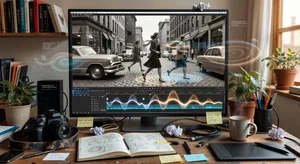
Static images are fine, but moving content grabs attention in ways a still photo never will. I'm going to show you exactly how to turn your photos into videos that actually move, breathe, and capture eyes as people scroll. No complicated video editing software. No hours of work. Just your images and AI doing the heavy lifting.
This isn't about slideshows with transition effects. We're talking about actually animating the content within your photos. Clouds drifting across the sky. Hair moving in the wind. Water rippling. The kind of subtle motion that makes people stop mid-scroll and think "wait, is that a photo or a video?"
The best part? You probably already have dozens of photos sitting on your phone that would make killer animated videos. Let's turn them into content that performs.
What Actually Happens When AI Animates Photos
The technology reads your image and figures out what should move and how. It analyzes depth, identifies objects, understands context. A photo of a beach scene? The AI knows waves should roll in, clouds should drift, maybe some subtle camera movement to create depth.
It's not just adding random motion everywhere. The AI is smart about what makes sense. People's eyes blink naturally. Fabric sways. Leaves rustle. Fire flickers. The motion feels organic because the AI has been trained on thousands of real videos showing how these things actually move in the world.
You upload a portrait, and the AI might add a gentle breathing motion to make the subject look alive. Or subtle head movement, like the person is slightly shifting their weight. Small details that our brains recognize as natural human behavior. Upload a landscape, and you get atmospheric effects, weather movement, maybe some parallax scrolling that creates a 3D feel.
The output is a short video clip, usually anywhere from 3 to 10 seconds. That's the sweet spot for social media anyway. Long enough to showcase the motion, short enough that people will watch it loop multiple times.
Getting Started with Your First Animation
Pick a photo with clear subject matter and some visual depth. Photos with distinct foreground and background elements work incredibly well because the AI can create that parallax effect where different layers move at different speeds.
Start simple. A portrait with a blurred background is perfect for beginners. The AI will keep the person relatively still while adding subtle life to them and gentle movement to the background. It's dramatic without being over the top.
Upload your photo to an AI image to video generator and let it do its first pass with default settings. Most tools give you a preview within a minute or two. Watch what the AI chooses to animate. Does it make sense? Does the motion enhance the image or distract from it?
If you're happy with the result, great. Download it and you're done. If something feels off, that's where the controls come in. Most tools let you adjust motion intensity, choose specific areas to animate or keep still, and control the direction of movement.
Here's something that'll save you time. The AI works better with high quality source images. You don't need a professional camera, but make sure your photo is in focus and well lit. Blurry photos or super dark images confuse the AI and you end up with wonky motion.
Creative Applications That Actually Get Results
Product demos are perfect for this technology. Got a photo of your product from different angles? Animate each one. Show the product rotating, zooming in on details, adding a sense of depth and dimensionality. E-commerce brands using animated product photos are seeing higher engagement and conversion rates than static images.
Real estate listings benefit massively. A nice photo of a living room is one thing. That same photo with sunlight gently streaming through windows, curtains barely moving in a breeze, maybe a subtle zoom that draws the eye into the space? That sells a feeling, not just a room.
Social media posts get way more reach when they include video. Take your best performing static posts and reanimate them. Birthday announcements, product launches, inspirational quotes over landscape photos. The algorithm favors video content, so you're playing the game smart.
Storytelling becomes more immersive. If you're sharing a travel story, animate your photos from the trip. That mountain vista with moving clouds and atmospheric haze. The street food vendor's stall with steam rising from the cooking. Your audience doesn't just see where you were, they feel like they're there.
Thumbnails for YouTube or podcast covers can be animated too. Upload your static thumbnail design, add subtle motion like text glowing or background elements shifting, and you've got an eye-catching animated thumbnail that stands out in search results and suggested videos.
Combining Multiple Photos into Video Sequences
Don't stop at animating single photos. String together several animated images to create a longer narrative video. Take 5 or 6 photos from a photoshoot, animate each one individually, then stitch them together in sequence.
This works beautifully for before and after scenarios. Home renovation? Show the room at different stages, each photo animated with motion. Fitness transformation? Animate progress photos to show the journey. Recipe creation? Animate each step of the cooking process.
The transition between animated photos matters. Quick cuts work for energetic, fast-paced content. Smooth crossfades are better for emotional or atmospheric pieces. Some AI video generators will handle transitions automatically, or you can use simple video editing software to refine them.
Add background music or voiceover to the sequence and suddenly you've got a complete video piece. From static photos to polished video content in a fraction of the time traditional video production would take. That's efficiency.
Advanced Techniques for Better Motion
Direction control is your friend. Instead of letting the AI decide everything, tell it which direction you want motion to flow. Left to right for a sense of progression. Downward for gravity and weight. Circular for energy and dynamism. The motion direction affects how viewers emotionally respond to the content.
Masking lets you protect certain areas from animation while letting others move freely. Want a person to stay perfectly still while everything around them is chaos? Mask the person. Want just their eyes to move while everything else is frozen? Mask everything except the eyes. This level of control creates intentional, artistic effects.
Layering animated elements can create complex scenes from simple photos. Animate your base photo, then add animated overlays like particle effects, light leaks, or atmospheric elements. Build up the visual richness layer by layer. It's the difference between "AI animated this" and "this looks professionally produced."
Loop smoothly for social media. The animation should flow from end to start without an obvious jump. When it loops smoothly, people will watch it repeat multiple times without realizing. That's more watch time, better engagement metrics, happier algorithms.
What Works Best for Different Platforms
Instagram loves square or vertical animated photos. Your feed posts get more engagement when they move. Stories are hungry for vertical video content. Animate your photos to fit that 9:16 ratio and they'll perform way better than static images.
TikTok is all about movement and energy. Faster, more dynamic animations work here. Don't be subtle. Make things move noticeably. The platform rewards eye-catching content that stops the scroll. Animated photos fit that bill perfectly.
LinkedIn prefers professional, subtle motion. Gentle animations that add polish without distraction. Think animated infographics, product demos, or subtle environmental motion in office or workspace photos. The platform skews toward business content, so keep animations purposeful.
YouTube thumbnails can use animation but remember they need to look good as static images too since not all platforms display animated thumbnails. Create versions that work both ways, or use the animation primarily for social sharing rather than the actual thumbnail upload.
Facebook and Twitter handle video well across the board. Standard horizontal or square ratios work fine. These platforms show video content inline in the feed with autoplay, so animated photos immediately start moving as people scroll. That motion is a pattern interrupt that demands attention.
Troubleshooting Common Issues
Sometimes the AI goes overboard and creates motion that looks unnatural or distracting. If that happens, dial back the intensity. Most tools have a strength or intensity slider. Drop it to 30 or 40 percent for subtle, realistic movement instead of the full 100 percent exaggerated effect.
Weird artifacts or glitches in the animation usually mean the source photo had issues the AI couldn't interpret cleanly. Try a different photo, or clean up the original image first using an editing tool to fix exposure, sharpness, or remove distracting elements before uploading for animation.
If motion feels directionless or random, use directional controls to guide it. Tell the AI you want motion flowing in a specific direction. That constraint actually makes the output feel more cohesive and intentional rather than chaotic.
Export quality matters. Don't accept low resolution outputs. Make sure you're exporting at the highest quality available, ideally matching or close to your original image resolution. Compressed, pixelated animated videos look amateurish even if the motion itself is beautiful.
Making This Part of Your Workflow
Batch process your content library. Pick your top performing static images from the past year and run them through animation. Repurpose old content into fresh video posts. You've already proven these images resonate with your audience, now amplify them with motion.
Set aside time weekly to create new animated content. It doesn't have to be daily. Even one or two high quality animated pieces per week will elevate your content mix and give the algorithms something they love to promote.
Test what works for your specific audience. Not every animated photo will perform equally well. Pay attention to engagement metrics. Which types of motion get the most saves, shares, and comments? Double down on what works, skip what doesn't.
Build a library of animated assets you can repurpose. Seasonal content, evergreen topics, brand visuals. Create them once, use them multiple times across different platforms and campaigns. That's smart content strategy.
The gap between static and video content is narrowing thanks to AI. You don't need to be a videographer to create compelling video content anymore. You need good photos and smart tools. Combine those two things and you've got an endless supply of eye-catching motion content that performs.
Start with one photo today. Run it through animation. See what happens. The results might surprise you, and once you see how well it performs compared to static posts, you'll wonder why you didn't start doing this sooner.