
AI Image Upscaler: Turn Blurry Old Photos Into Crystal | Cliptics
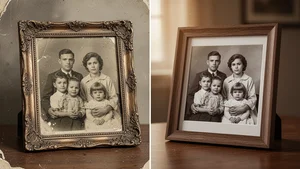
There's a shoebox in my mother's closet that hasn't been opened in years. Inside are photos from the 1970s and 80s. Yellowed edges. Faded colors. Some are so blurry you can barely make out the faces. But every single one of them holds a memory that matters to someone.
Last month, I pulled out one of those photos. It was my grandmother at a family picnic, laughing with her sisters. The image was tiny, blurry, and the colors had shifted to that familiar brownish haze that time paints over everything. I scanned it, fed it through an AI image upscaler, and what came back made me sit down. Her face was clear. The wrinkles around her eyes from laughing. The pattern on her dress. Details I'd never been able to see before, suddenly there in stunning clarity.
That moment changed how I think about old photos. They're not ruined. They're just waiting.
How AI Image Upscaling Actually Works
Traditional photo editing has always been limited by one fundamental problem. You can't create detail that doesn't exist. If a photo is 300 pixels wide, stretching it to 3000 pixels just gives you a bigger blurry mess. Every photographer and designer knows this frustration.
AI upscaling is different. Instead of stretching pixels, these models have been trained on millions of image pairs. They've learned what sharp edges look like. What skin texture should be. How fabric folds. How light falls across a face. When you give them a low resolution image, they don't just enlarge it. They intelligently reconstruct what the high resolution version should look like.
The results in 2026 are genuinely remarkable. We're talking about taking a 200x300 pixel scan from a disposable camera and producing a crisp 4K output that you could print at poster size. The technology has matured to the point where it's not experimental anymore. It works. Reliably.
The Tools That Actually Deliver
I've tested a lot of upscalers over the past year. Some overpromise. Some produce artifacts that make faces look plastic or backgrounds look painted. But several tools consistently deliver results that feel authentic to the original photo.
Cliptics AI Image Upscaler has become my go to for family photo restoration. The interface is straightforward, you upload your image and select your target resolution. What sets it apart is how it handles faces. Old family photos are almost always about the people, and Cliptics preserves facial features without that overdone, AI smoothed look that some tools produce. The skin looks like skin. The expressions stay genuine.
For portrait specific work, the Cliptics Portrait Enhancer takes things a step further. It's specifically trained on faces and does an exceptional job with the kinds of challenges old photos throw at you. Motion blur from a fidgety kid. Soft focus from a cheap lens. Even water damage that's partially obscured someone's features.
Topaz Gigapixel remains a strong desktop option if you prefer offline processing, and Remini has carved out a nice space for quick mobile restoration. Let's Enhance and Bigjpg are solid web based alternatives worth exploring too. Each has strengths depending on your specific needs.
The broader image enhancement tools landscape has exploded in 2026, giving you more options than ever for different types of restoration work.
A Step by Step Approach to Restoring Old Photos
Here's the process I've developed after restoring hundreds of family photos. It's not complicated, but the order matters.
Start with the best scan you can get. Use a flatbed scanner at 600 DPI minimum. If you don't have a scanner, a phone camera works, but make sure the lighting is even and you're shooting straight down. Shadows and angles create problems that even AI can't fix well.
Before upscaling, do basic cleanup. Crop out damaged borders. Straighten the image if it's tilted. If there are major scratches or tears, use a basic inpainting tool first. AI upscalers work best when they're not also trying to interpret damage.
Then run the upscaler. For most family photos, a 4x upscale is the sweet spot. Going higher can introduce subtle artifacts, especially in areas where the original had very little detail to work with. A 400x300 original becomes a crisp 1600x1200 at 4x, which is more than enough for printing or digital frames.
After upscaling, do a final color correction pass. Old photos often have color shifts that the AI preserves faithfully, which means your upscaled photo might be beautifully sharp but still look orange. A simple white balance adjustment fixes this in seconds.
What Works and What Doesn't
AI upscaling handles some things brilliantly and struggles with others. Knowing the difference saves you time and frustration.
It excels at faces. Modern models are exceptionally good at reconstructing facial features, eyes, lips, skin texture. This is great news because faces are usually what matter most in family photos. It also handles text surprisingly well. Old photos with signs, newspaper clippings, or handwritten notes in the background become readable after upscaling.
Landscape and architecture details restore beautifully too. Trees get individual leaves. Buildings get crisp edges. Even the grain pattern of wooden furniture comes through.
Where it struggles is with extreme damage. If the original photo has large missing sections, heavy water damage, or severe chemical deterioration, upscaling alone won't save it. You'll need dedicated restoration tools first. It also sometimes hallucinates details in areas of pure blur, adding textures or patterns that weren't in the original. Always compare the output with your source image.
The Emotional Part Nobody Talks About
I want to mention something that caught me off guard. Restoring old photos is emotional in a way I wasn't prepared for.
When I showed my mother that restored photo of her mother, she cried. Not because the technology was impressive, but because she could finally see her mom's face clearly for the first time in decades. The photo had always been blurry. She'd never seen those details. The laugh lines. The way her earrings caught the light.
That's what this technology really does. It's not about pixels or resolution or neural networks. It's about connection. It's about seeing the people you love with a clarity that time and cheap cameras stole from you.
Where This Is All Heading
The pace of improvement in AI upscaling is staggering. Two years ago, 2x upscaling with decent quality was impressive. Now 4x to 8x is routine, and some models are pushing toward 16x with specialized training. We're approaching a point where the resolution of the original barely matters.
I think within a few years, we'll see real time upscaling built into photo viewing apps. You'll open an old album on your phone and every image will automatically appear in the highest quality the AI can reconstruct. No uploading. No waiting. Just clearer memories, instantly.
For now though, the tools available today are more than good enough to start. If you have old photos sitting in a drawer or a box or a forgotten folder on an old hard drive, pull them out. Scan them. Run them through an upscaler. You might be surprised by what you find looking back at you.