
AI Prompt Enhancer: Transform Basic Prompts Into Powerful | Cliptics
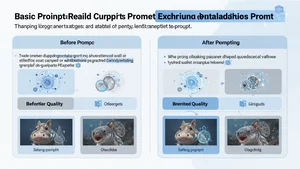
I typed "make a picture of a dog" into an AI image generator last week. The result was fine. Generic. Forgettable. Then I ran the same idea through a prompt enhancer and got back something like "a golden retriever mid leap through autumn leaves at golden hour, shallow depth of field, warm tones, shot on Canon 5D." The output? Completely different. Magazine quality.
That gap between what we say and what we actually mean is the entire reason prompt enhancers exist. And once you understand how they work, you will never go back to writing basic prompts again.
What a Prompt Enhancer Actually Does
Think of a prompt enhancer as a translator between your brain and an AI model. You have a vision. The AI needs specific instructions to recreate that vision. The enhancer bridges that gap.
Most people write prompts the way they'd describe something to a friend. Casual. Vague. Full of assumptions. "A sunset over mountains" feels complete to a human because we fill in the gaps with our own experience. But AI models don't have experience. They have training data and statistical patterns. When you say "sunset over mountains," the model picks whatever sunset and whatever mountains appear most frequently in its learned associations. That's why basic prompts produce basic results.
A prompt enhancer takes your original idea and expands it with the kind of specific details that AI models actually respond to. Style references. Lighting conditions. Composition details. Technical parameters. Color palettes. Mood descriptors. All the stuff that separates a forgettable generation from something that stops you mid scroll.
The Cliptics AI Prompt Enhancer does exactly this. You feed it a simple prompt, and it returns an optimized version tailored for whatever AI tool you're using. No guessing. No memorizing long lists of keywords. Just better results.
Before and After: The Difference Is Striking
Let me show you what this looks like in practice across different AI use cases.
Text generation example. Basic prompt: "Write about remote work." Enhanced prompt: "Write a 600 word article analyzing how remote work culture has shifted between 2024 and 2026, focusing on hybrid models, productivity data, and employee satisfaction trends. Use a conversational but data informed tone. Include specific statistics where possible. Target audience: HR managers at mid sized companies."
The basic version could produce literally anything about remote work. An essay. A list. A history lesson. The enhanced version tells the AI exactly what you need, so it delivers something you can actually use.
Image generation example. Basic: "A cat sitting on a windowsill." Enhanced: "A tabby cat sitting on a weathered wooden windowsill, late afternoon light streaming through lace curtains, dust particles visible in the light beams, potted herbs in the background slightly out of focus, warm amber color palette, film photography aesthetic, 35mm lens perspective."
Same subject. Wildly different output. The enhanced version gives the AI model enough anchors to generate something with mood, depth, and intentionality.
Video prompt example. Basic: "A person walking through a city." Enhanced: "A young woman in a trench coat walking confidently through rain slicked Tokyo streets at night, neon reflections on wet pavement, camera tracking shot at waist height, cinematic 2.39:1 aspect ratio, Blade Runner inspired color grading with teals and magentas."
Tools like the Cliptics AI Video Prompt Enhancer specialize in exactly this kind of transformation, adding cinematic language and technical direction that video generation models understand.
The Five Elements That Make Prompts Work
After enhancing thousands of prompts, clear patterns emerge. The best prompts consistently include five elements.
Subject clarity. Not just "a dog" but "a senior border collie with a graying muzzle." Specificity eliminates ambiguity. The AI stops guessing and starts executing.
Context and setting. Where is this happening? What surrounds the subject? Environmental details ground the generation in a believable scene instead of floating in abstract space.
Style and mood direction. This is where most people leave massive value on the table. Words like "dramatic," "whimsical," "documentary style," or "Studio Ghibli inspired" completely change the output. AI models have learned associations with these style cues and they respond powerfully to them.
Technical specifications. For images, this means lighting type, lens focal length, color palette, and composition. For text, it means word count, tone, structure, and audience. For video, it means camera movement, aspect ratio, and pacing. These technical details are the difference between amateur and professional results.
Negative constraints. What you don't want matters as much as what you do want. "No text overlays," "avoid cartoonish proportions," or "do not use bullet points" helps the AI stay in bounds.
Why Manual Prompt Engineering Falls Short
You might be thinking: "Can't I just learn to write better prompts myself?" Sure. And you should develop that skill. But here's the reality.
Different AI models respond to different prompt structures. What works perfectly in Midjourney syntax might produce garbage in DALL-E or Stable Diffusion. The Cliptics AI Image Prompt Enhancer accounts for these differences automatically. It knows which keywords and structures each model type responds to best.
There's also the consistency problem. Even experienced prompt engineers have good days and bad days. Sometimes you nail the prompt on the first try. Sometimes you spend twenty minutes tweaking and still get mediocre results. An enhancer provides a reliable baseline every single time.
And then there's the knowledge gap. The AI image generation space moves fast. New models learn new keywords. New techniques emerge. Keeping up with every model's quirks is a full time job. Prompt enhancers stay current so you don't have to.
Common Mistakes That Kill Your AI Outputs
Even with enhancers, understanding these pitfalls helps you get better starting prompts.
Being simultaneously vague and long. Adding more words doesn't help if those words are generic. "A really beautiful amazing stunning gorgeous landscape" gives the AI nothing to work with. Every adjective should add new information.
Contradicting yourself. "A minimalist scene with lots of intricate details" confuses the model. Pick a direction and commit to it. If you want complexity, describe what kind of complexity. If you want simplicity, specify what stays and what goes.
Ignoring the output format. Asking a text AI for "some ideas about marketing" is begging for a lazy bulleted list. Specifying "a structured analysis with three strategies, each including setup steps, expected timeline, and budget estimate" forces useful output.
Skipping iteration. The first generation is rarely the final one. Use your enhanced prompt, evaluate the output, then refine. Each round gets you closer. Prompt enhancers give you a much better starting point, but the refinement loop still matters.
Where This Is All Heading
Prompt enhancement is evolving fast. Early enhancers were basically keyword stuffers. They'd take your prompt and pad it with popular terms. Modern enhancers like the ones on Cliptics use AI to understand your intent, then reconstruct the prompt with contextually appropriate detail.
The next wave will likely be model aware enhancers that automatically adjust their output based on which AI tool you're targeting. Some of this already exists, but it's going to get much more sophisticated. Imagine pasting your prompt once and getting optimized versions for five different models simultaneously.
For now, the practical takeaway is straightforward. If you're using AI tools without enhancing your prompts first, you're leaving most of the quality on the table. The gap between a basic prompt and an enhanced one isn't a small improvement. It's the difference between "that's okay" and "that's exactly what I needed."
Start with your idea. Run it through an enhancer. Review the enhanced version to make sure it matches your intent. Generate. Refine. That workflow takes an extra thirty seconds and consistently produces results that would have taken you ten rounds of manual tweaking to achieve.
The best prompt is never the first one you think of. It's the one that tells the AI exactly what you see in your head.