
AI Thumbnail Creators That Get Clicks for YouTube | Cliptics
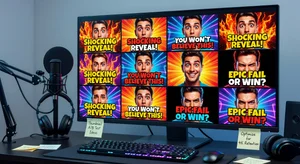
I spent three months making thumbnails in Canva before I realized nobody was clicking on them. Three months. That's roughly 40 videos with thumbnails I genuinely thought looked good. My average click through rate was sitting at 2.1%, which is basically YouTube's way of saying "your content might be fine, but nobody wants to find out."
That experience broke something in me, but in a good way. It forced me to actually study what makes people click. Not what looks pretty. Not what follows design trends. What makes a person scrolling through their feed stop and tap. Turns out, the answer involves a lot more psychology than I expected, and AI thumbnail creators have gotten scary good at applying those principles automatically.
Let me walk you through what I learned the hard way so you don't have to waste three months like I did.
Why Your Thumbnails Probably Aren't Working
Here's the uncomfortable truth I had to accept. Most of us design thumbnails based on what we think looks professional. Clean layouts. Subtle colors. Tasteful fonts. And that's exactly backwards.
YouTube thumbnails aren't portfolio pieces. They're billboards competing with dozens of other billboards, all fighting for attention in a space the size of a postage stamp. The rules are completely different.
I analyzed my top performing videos versus my worst performers and found three patterns. The ones that got clicks had faces with exaggerated expressions. They used contrast that was almost aggressive. And they had text that was readable at thumbnail size, which means way bigger and bolder than you think.
My worst thumbnails? They were the ones I was most proud of aesthetically. Beautiful compositions that looked amazing at full size and completely disappeared in a YouTube feed. Nobody tells you this when you're starting out. Or maybe they do and you just don't listen because you think your taste is good enough. Mine wasn't.
The click through rate difference between my best and worst thumbnails was over 6 percentage points. On a channel getting 10,000 impressions per video, that's the difference between 200 clicks and 800 clicks. Same video. Same content. Just a different thumbnail.
AI Tools That Actually Changed My Results
Once I accepted that my design instincts were working against me, I started exploring AI thumbnail tools. Not all of them are useful, but a few genuinely changed my workflow.
ThumbnailCreator was one of the first ones I tried that felt like it understood YouTube specifically. It's not just a generic image editor with YouTube presets slapped on. The tool actually analyzes what's working in your niche and suggests compositions based on high performing thumbnails. I was skeptical at first because I'd been burned by tools that promise magic and deliver clipart. But this one generates layouts that feel intentional.
What surprised me about ThumbnailMakerr was how fast it handled the iteration process. You can generate multiple variations of the same concept in seconds. That matters because thumbnail testing is where the real gains come from. Your first design is almost never your best one. I used to spend 30 minutes on a single thumbnail. Now I generate five options in the time it used to take me to pick a font.
There's also a growing category of tools focused on turning thumbnails into click magnets by applying proven psychological triggers. Color psychology, face positioning, text hierarchy. These aren't gimmicks. They're principles that advertising agencies have used for decades, just automated and applied to the YouTube format.
The Cliptics AI tools directory is actually where I discovered most of these. I was browsing through their collection looking for something else entirely and stumbled into a whole category of thumbnail specific tools I didn't know existed. Worth exploring if you haven't already.
The CTR Optimization Tips Nobody Talks About
Okay, here's where it gets practical. These are things I learned through testing, not theory.
First, your thumbnail and title work as a pair. They're not separate things. If your title says "I Tried the World's Spiciest Chip" and your thumbnail shows you calmly eating a chip, there's a disconnect. The thumbnail needs to show the consequence, the reaction, the drama. Show the tears. Show the regret. The thumbnail promises the emotional payoff that the title sets up.
Second, test at actual size. I can't stress this enough. Open YouTube on your phone. Look at how small thumbnails actually appear in the feed. Now look at your thumbnail at that size. Can you read the text? Can you understand what's happening in the image? If you have to squint or think about it for even half a second, it's not working.
Third, faces outperform everything else. I tested abstract designs, product shots, text only thumbnails, and face forward thumbnails across 50 videos. Faces with clear emotions won every single time. It wasn't even close. Our brains are wired to look at faces. Use that.
Fourth, three colors maximum. This one took me forever to learn. More colors means more visual noise. More visual noise means your thumbnail becomes muddy at small sizes. Pick a background color, a text color, and one accent color. That's it.
Fifth, and this is one most people overlook entirely, your thumbnail needs to work in both light mode and dark mode. YouTube users browse in both, and a thumbnail with a dark background can vanish against dark mode feeds. I started adding subtle borders or bright accent elements to make sure my thumbnails pop regardless of the viewer's theme. Small detail, but it made a measurable difference.
Common Mistakes I Made (So You Don't Have To)
The biggest mistake was treating every video's thumbnail the same way. Gaming content needs different thumbnail strategies than tutorial content. Vlogs need different approaches than reviews. I was applying one formula to everything and wondering why some videos tanked.
Another mistake was ignoring my analytics. YouTube literally tells you which thumbnails are performing through impressions click through rate. I didn't look at that data for months. When I finally did, I noticed my cooking videos had 8% CTR while my tech reviews were at 2.5%. The cooking thumbnails all featured close up food shots with steam and vibrant colors. The tech thumbnails were product photos on white backgrounds. The data was screaming at me and I wasn't listening.
I also fell into the trap of making thumbnails after filming instead of before. This sounds backwards, but planning your thumbnail first actually improves your content. When you know what moment you need to capture for the thumbnail, you film differently. You make sure to get that reaction shot. You set up the visual that tells the story. Some of the biggest YouTubers design their thumbnail before they even start scripting.
One more thing that cost me months of growth: I was too attached to my brand colors. I had this whole color palette I used consistently across every thumbnail because I thought brand consistency mattered more than click performance. It doesn't. Not at the thumbnail level. Your brand can live in your channel art, your intros, your overall vibe. But each thumbnail should use whatever colors create the most contrast and draw the most attention for that specific video. Once I let go of rigid branding in thumbnails, my numbers jumped almost overnight.
What Actually Works Going Forward
The landscape keeps changing, but some principles stay constant. People click on thumbnails that trigger curiosity, promise value, or create an emotional response. AI tools are getting better at encoding these principles into their generation process, which means the bar keeps rising for everyone.
My CTR went from 2.1% to 7.8% over six months. That's not because I became a better designer. It's because I stopped trusting my instincts and started trusting data, psychology, and tools that were built specifically for this problem.
The AI thumbnail tools available today aren't just making the process faster. They're making it smarter. They can analyze thousands of high performing thumbnails and extract patterns that would take a human months to notice. When you combine that kind of analysis with your own understanding of your audience, you end up with thumbnails that feel authentic and perform well. That's the sweet spot most creators never find because they rely too heavily on either pure creativity or pure data, not both.
If you're still making thumbnails the way I was, spending 30 minutes in a generic editor trying to make something that looks "nice," please stop. Use the AI tools available. Test multiple versions. Check your analytics weekly. And remember that the thumbnail someone actually clicks on is rarely the one you'd hang on your wall.
Your content deserves to be seen. Don't let a bad thumbnail be the reason it isn't.