
10 AI Tools Every Teacher Should Know in 2026 | Cliptics
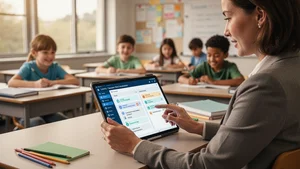
Teaching is one of those jobs where the to do list never actually ends. There is always another lesson to plan, another stack of essays to grade, another parent email to answer. And AI tools are showing up everywhere in education right now. Not in a vague, futuristic way. In real classrooms.
A 2025 Gallup survey found that 60% of K through 12 teachers used AI tools during the school year, with weekly users saving an average of 5.9 hours per week. That adds up to roughly six extra weeks of reclaimed time across a standard school year.
Most teachers are not sure which tools are actually worth their time though. There are hundreds of options, and plenty are flashy but useless once you get past the landing page. I spent weeks testing the ones that keep showing up in real teacher conversations, and narrowed it down to ten that genuinely deliver.
1. MagicSchool AI
MagicSchool is probably the most talked about AI platform in education right now. It offers over 80 tools specifically built for teachers, covering lesson planning, rubric creation, behavior intervention plans, and reading level adjustments.
The platform was named one of Fast Company's Most Innovative Companies of 2026. Over 7 million educators use it. The newest addition, MagicQuizzes, generates standards aligned assessments and gives students immediate feedback while summarizing results for the teacher. It is SOC 2 certified and FERPA/COPPA compliant, which matters if your district is cautious about data privacy. The free tier covers core tools, and Plus expands usage limits.
2. Google Gemini for Education
Google brought Gemini into education in a big way this year. Powered by Gemini 2.5 Pro, the education version is purpose built for schools with enterprise grade data protection. And it is free.
The standout feature launched in January 2026 is podcast style audio lessons inside Google Classroom. Teachers set the grade level, topic, and learning objectives, then choose between interview or conversational formats. If your school already runs on Google Workspace, this slots right in without any additional setup.
3. Canva for Education
Canva has been a teacher favorite for years, but its AI features have pushed it into a different category. Magic Design lets you type a few words about your lesson and generates fully designed presentations. Magic Write handles text generation, summarization, and rewriting. Magic Activities creates interactive Venn diagrams and thinking frameworks from a simple prompt.
Every K through 12 educator and their students get premium Canva features at no cost through Canva for Education. For elementary teachers especially, where visual engagement directly impacts attention, this is hard to beat.
4. Eduaide.ai
Eduaide takes a structured approach that many teachers prefer. You feed it learning objectives, standards, or source materials, and it produces fully editable lesson plans, assessments, graphic organizers, and instructional games inside a built in editor.
What sets it apart is the structure. Everything it generates is designed around how teachers actually build curriculum, not how a chatbot thinks a lesson should look. The output is ready to use or easy to customize.
5. Nearpod
Nearpod turns static slide presentations into interactive experiences. Teachers can embed quizzes, polls, 3D objects, videos, and virtual reality experiences directly into their lessons. The AI features help generate questions and activities automatically.
What makes Nearpod especially useful is the combination of live engagement and formative assessment. You can see in real time which students are participating and which are struggling, without waiting for a test result two weeks later.
6. Brisk Teaching
Brisk lives inside the tools teachers already use, primarily Google Docs and Chrome. You open a student essay, click the Brisk extension, and get AI generated feedback with highlighted problem areas, a rubric based score, and a summary of strengths and weaknesses. All without leaving the document.
Teachers report saving 30 to 60 minutes per class set of essays. The Educator Pro plan runs $99.99 per year. For anyone who grades writing regularly, it pays for itself in the first week.
7. Diffit
If you teach a class where students are at wildly different reading levels, Diffit is built for you. It generates reading passages, vocabulary lists, comprehension questions, and summaries at multiple reading levels from any topic or source material.
ESL teachers and special education teachers tend to get the most out of it, but any teacher managing diverse learners will find it useful. The differentiation happens automatically, which is the whole point.
8. Curipod
Curipod creates interactive lesson presentations with built in polls, word clouds, open ended questions, and drawing activities. You give it a topic or learning standard, and it generates a complete interactive lesson.
The real time student response features make it good for checking understanding without the awkward silence that follows "does anyone have questions?" Students participate on their devices, and you see the data instantly.
9. SchoolAI
SchoolAI takes a different approach. Instead of helping teachers create content, it gives students their own AI chatbot that the teacher fully controls. You set the boundaries, define the topics, establish learning objectives, and monitor every student interaction in real time.
This is probably the safest way to introduce students to AI assisted learning. The teacher dashboard shows exactly what each student is asking and what the AI is responding. For schools that want to embrace AI but worry about unsupervised use, SchoolAI solves that problem directly.
10. TeachBetter.ai
TeachBetter.ai positions itself as the all in one platform, merging capabilities from ChatGPT, Google, and YouTube into a clean, ad free ecosystem built specifically for education. It offers over 20 AI tools and 100 interactive simulations.
Teachers can generate curriculum aligned lesson plans, quizzes, worksheets, and assessments in seconds. Students get concept explainers and self paced learning tools. Parents even get guided learning tools for home support. The multi stakeholder approach is what makes it different from tools that focus solely on the teacher.
The Bigger Picture
None of these tools replace a good teacher. What they do is handle the repetitive, time consuming parts of the job so teachers can focus on the parts that actually require a human being: building relationships, reading the room, adapting in the moment when a lesson is not landing.
The 60% adoption rate is going to keep climbing. Teachers who use AI weekly saved almost six hours per week, but 70% still worry about students losing critical thinking skills. That tension is healthy. It means teachers are being thoughtful about adoption rather than just grabbing the shiniest new tool.
If you are a teacher and you have not tried any of these yet, pick one. Start with whatever matches your biggest pain point. If grading eats your evenings, try Brisk. If lesson planning takes too long, try MagicSchool or Eduaide. If student engagement is the challenge, try Nearpod or Curipod.
The tools are ready. The question is whether you are ready to let them help.