
"AI Voice Isolation: Separate Vocals From Noise | Cliptics"
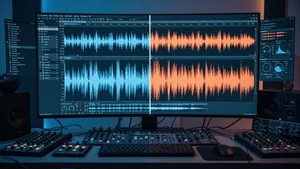
I recorded what I thought was a perfect podcast episode last week. Great conversation, genuine energy, real insights. Then I listened back and heard it: the neighbor's leaf blower, a truck rumbling past, my air conditioner cycling on and off in the background. Forty five minutes of audio that sounded like it was recorded inside a wind tunnel.
This used to be a death sentence for a recording. You either spent hours manually cleaning it up in Audacity or you scrapped the whole thing and started over. But something has changed dramatically in the last year. AI voice isolation has gotten so good that separating clean vocals from messy background noise takes seconds, not hours. And the results are genuinely shocking.
So I went deep into how this technology actually works, what tools deliver real results, and where it still falls short. If you work with audio in any capacity, this is worth understanding.
How AI Voice Isolation Actually Works
The core technology behind modern voice isolation is source separation, specifically a type of neural network architecture that learns to distinguish between different audio sources layered on top of each other.
Think of it like this. When you hear a conversation in a crowded restaurant, your brain automatically focuses on the voice you care about and filters out the dishes clinking, other conversations, and background music. AI voice isolation does something similar, but mathematically.
These models are trained on massive datasets of clean vocals paired with various noise profiles. The AI learns patterns: what human speech looks like in a spectrogram versus what traffic sounds like, what HVAC hum looks like, what wind interference looks like. After enough training, it can look at a messy audio file and say "this frequency pattern at this moment is voice, and this other pattern is noise" with remarkable accuracy.
The latest generation of models, particularly those built on transformer architectures, handle edge cases that would have been impossible two years ago. Overlapping voices. Music with vocals. Reverb heavy room recordings. The separation quality has jumped from "decent but artifacts everywhere" to "wait, this sounds like it was recorded in a studio."
Real World Use Cases That Matter
Here is where things get practical. Let me walk through the scenarios where voice isolation makes the biggest difference.
Podcast production is the obvious one. You recorded a remote interview where your guest was in a coffee shop. Instead of asking them to re-record (awkward) or publishing with distracting background noise (unprofessional), you run the audio through an isolation tool. Clean vocals, problem solved. Cliptics Voice Isolation handles this particular workflow well because it processes the file entirely in the browser without uploading your audio anywhere.
Music production uses stem separation, which is voice isolation's bigger sibling. Need to remix a track but only have the master? AI can pull out the vocals, drums, bass, and other instruments as separate stems. Producers are using this for sampling, remix work, and creating acapella versions. The quality is not perfect for professional master releases yet, but for creative work and live performance, it is more than good enough.
Video editing is where I think this technology is most underappreciated. Filmmakers shooting on location deal with noise constantly. Wind, traffic, crowds, machinery. Rather than relying entirely on ADR (re-recording dialogue in a studio), editors can clean the original audio and preserve the natural performance. The emotional authenticity of on-location audio is something you cannot recreate in a booth.
Transcription accuracy also improves dramatically when you clean audio first. If you are using tools like Cliptics Audio Transcription to convert speech to text, feeding it clean isolated vocals versus noisy raw audio makes a measurable difference in word accuracy.
What the Best Tools Get Right
I tested several voice isolation tools over the past few months, and the difference between good and great comes down to a few specific things.
Artifact handling is the biggest differentiator. Every isolation tool leaves some artifacts, those weird metallic or watery sounds where the AI removed noise but left traces behind. The best tools minimize these to the point where casual listeners cannot detect them. Cheaper or older tools produce artifacts that sound worse than the original noise.
Processing speed matters more than you think. If you are a podcaster processing a sixty minute episode, waiting twenty minutes for results kills your workflow. Browser based tools like Cliptics process audio locally using your device's hardware, which means no upload wait time and no server queue. Desktop tools like Audacity with its noise reduction plugins work too, but the AI powered options are significantly more accurate.
Frequency preservation is the subtle quality marker. Bad isolation tools strip out parts of the vocal along with the noise, making voices sound thin or hollow. The best tools preserve the full richness of the voice, including the low end warmth and high end clarity that make someone sound like themselves.
The Limitations Nobody Talks About
I want to be honest about where this technology still struggles, because the marketing from most tools would have you believe it is magic. It is not.
Overlapping frequency ranges remain the hardest problem. If you have a voice competing with music that occupies the same frequency range, no AI tool perfectly separates them. You will get most of the voice, but some musical elements will bleed through, or some vocal character will be lost. This is a physics problem as much as an AI problem.
Extreme noise levels also challenge current models. If the background noise is louder than the voice itself, you are asking the AI to reconstruct information that is barely there. Results improve every generation, but the "garbage in, garbage out" principle still applies at the extremes.
Real time processing is getting better but is not quite there for professional use. Live streaming with AI voice isolation introduces latency that is noticeable in conversation. For post-production work it is excellent. For live applications, we are probably twelve to eighteen months away from smooth real time separation.
Building a Clean Audio Workflow
If you are serious about audio quality, voice isolation works best as one part of a larger workflow rather than a standalone fix.
Start with the best recording conditions you can manage. Use a decent microphone. Record in a quiet space when possible. Get close to the mic. These basics still matter because AI isolation works better with cleaner source material.
For noise that does sneak in, run your audio through voice isolation as the first processing step, before EQ, compression, or any other effects. This gives the AI the rawest signal to work with and prevents downstream effects from amplifying artifacts.
After isolation, use light noise gating to catch any remaining low level hum the AI missed. Then apply your normal processing chain. The combination of AI isolation plus traditional audio tools produces results that genuinely rival professional studio recordings.
For creating audio content that needs additional creative elements, tools like Cliptics AI Sound Effect Generator let you layer in clean sound design on top of your newly isolated vocals.
Where This Is All Heading
The trajectory here is clear. Voice isolation is becoming a default processing step, not a special effect. Within the next year, I expect most recording apps to include real time isolation as a toggle. Your phone will separate your voice from background noise before the audio even hits your recording file.
For creators working with audio today, the practical takeaway is simple: do not let imperfect recording conditions stop you from creating. The tools exist right now to rescue nearly any recording. The gap between "recorded in my bedroom" and "recorded in a professional studio" has never been smaller, and it is closing fast.
What used to require expensive hardware, treated rooms, and years of audio engineering knowledge now takes a browser tab and about thirty seconds. That is not a small shift. That is a fundamental change in who gets to make professional sounding audio.