
Animate Old Family Photos with AI: Bring Vintage Memories | Cliptics
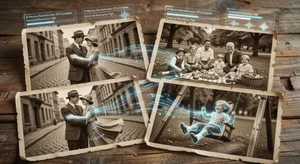
Somewhere in most family homes there are boxes of old photographs. Black and white portraits of grandparents as young people. Faded color photos from the 1970s. Stiff, formal pictures taken at occasions that no one alive today remembers attending. For decades these images have existed as static artifacts. Reminders of people who are gone, frozen at moments in time.
AI photo animation technology has changed what is possible with these photographs in a genuinely moving way. You can now take a photograph of your grandfather at age 25 and see him blink, breathe, or turn his head. You can see your grandmother from a century ago with subtle life in her expression. The results are not perfect, and they are not meant to be documentary. But they can be surprisingly powerful.
This guide covers how the technology works, how to get the best results, and how to think about the experience thoughtfully.
How AI Photo Animation Works
Modern AI photo animation tools use a combination of techniques: depth estimation to understand the 3D structure of a face from a flat 2D image, facial landmark detection to locate specific features, and generative models trained on video data to create plausible motion patterns.
When you upload a photograph, the AI estimates which parts of the image are closer to the camera (face in the foreground) versus farther away (background). It identifies the eyes, mouth, nose, and head contours. Then it generates subtle motion that is consistent with how those features move in real life: slight head movements, eye blinks, breathing motion in the chest and shoulders.
The result is not video footage of the person. It is a plausible simulation of how that frozen moment might have continued. The distinction matters, but so does the emotional impact.
Cliptics AI Animate Old Photos handles the animation process in the browser without requiring any software installation.
Preparing Your Photos for Animation
The quality of the animation output depends significantly on the quality of the input photograph. A few preparation steps improve results considerably.
Digitize prints at high resolution. If your family photos exist only as physical prints, scan them at a minimum of 600 DPI (dots per inch). Higher is better: 1200 DPI is excellent for small prints. Use a flatbed scanner rather than a phone camera for best results, though modern phones in good lighting can produce acceptable scans.
Crop to the subject. Tight cropping that centers on the face and upper body produces better animation results than distant group shots where individual faces are tiny. If you want to animate a group photo, try cropping individual faces separately.
Repair damage if possible. Old photos often have scratches, folds, spots, and other damage. The AI will animate these artifacts along with the face, which can look strange. Consider basic photo repair before animation. Cliptics AI Image Editor can help with basic damage cleanup.
Work with faces you can see clearly. Photos where the face is turned away, obscured by shadows, or too small to show features clearly will produce poor animation results. Frontal or three-quarter portraits work best.
Animating Your Photos Step by Step
Step 1: Digitize or locate your high-resolution digital version of the photo.
Step 2: Open Cliptics AI Animate Old Photos in your browser.
Step 3: Upload your photo. The tool processes the image and analyzes facial structure.
Step 4: Select your animation style. Options typically include subtle breathing, head motion, full natural movement, and artistic interpretation styles.
Step 5: Generate the animation. The output is typically a short video loop (5 to 10 seconds) that plays continuously.
Step 6: Download your animated video. Share with family, save to your photo library, or compile multiple animations into a longer video tribute.
Getting the Best Results with Aged Photos
Old photographs present specific challenges that newer portraits do not.
Low contrast: Many aging photos have lost contrast, making facial features difficult for AI to distinguish. Increase contrast slightly in a photo editor before uploading. Aim for clear distinction between the face and background.
Sepia and monochrome tones: Black and white and sepia photos work with photo animation tools, though color animations will obviously appear monochrome. Some tools offer colorization combined with animation for a two-step process.
Photographic artifacts: Early photography required subjects to hold perfectly still for exposure times much longer than modern photography. This creates subtle blurring that can interfere with AI analysis. There is limited remedy for this in most cases, but choosing the clearest photos in your collection helps.
Formal poses: 19th and early 20th century photography conventions required highly formal, rigid poses. The AI has more to work with when there is natural expression to animate. Very stiff, expressionless portraits produce less lifelike animation than those with any hint of natural expression.
Creating a Family Memory Video
Individual animated photos are interesting. A curated compilation of animated family photos set to music becomes something more meaningful.
Consider building a tribute video for a family gathering, reunion, or memorial occasion using this workflow:
- Select 10 to 20 significant family photographs spanning generations
- Animate each photo using Cliptics AI Animate Old Photos
- Arrange in chronological order or thematic order
- Import into a simple video editor (iMovie, CapCut, DaVinci Resolve)
- Add captions identifying people, dates, and occasions
- Add appropriate background music
- Export and share with family
The result is something between a slideshow and a living family album. It makes a deeply personal gift for older relatives who knew the people in the photos, and a meaningful connection to family history for younger generations who did not.
Thinking Thoughtfully About the Technology
Animating photographs of people who have passed away deserves thoughtful consideration. Most families find the experience moving and meaningful. Some individuals may find it emotionally difficult.
It helps to be transparent when sharing these animations. "I used an AI tool to animate this photo" is a useful framing. The animation is a creative interpretation of a historical artifact, not a representation of how the person actually moved or behaved. Maintaining that distinction shows respect both for the person in the photograph and for the people who knew them.
The technology also raises questions about memory and authenticity that are worth sitting with. What does it mean to see a simulation of movement from a photograph of someone who died before you were born? Does it create connection or does it create a sense of the uncanny?
These are questions each family will answer differently. What is clear is that the technology gives you an option that did not exist before: a way to make historical photographs feel alive, at least briefly, in a way that earlier generations never had access to.
Your family's history is irreplaceable. These tools offer a new way to experience it.