
Best Free AI Text to Speech Tools for YouTube Creators | Cliptics
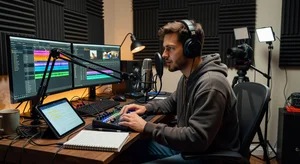
The barrier to starting a YouTube channel used to be partly technical and partly the camera-shy factor. You needed decent equipment, a good space, and the willingness to put your face and voice on screen. AI text to speech has changed the second part completely. Some of the most successful YouTube channels in 2026 have zero footage of the creator, just AI narration over visuals or screen recordings.
And it's not because the voice sounds robotic. Modern TTS has gotten to the point where casual listeners genuinely can't tell. So if you're building a faceless channel, or you just want to speed up your video production by not re-recording voiceovers, here are the tools that actually work.
What Makes a TTS Tool Good for YouTube
Before getting into specific tools, let me be clear about what "good" means in this context.
Natural speech rhythm is the big one. Even if individual words sound fine, bad TTS stumbles on emphasis, pauses in wrong places, and rushes through punctuation. For YouTube narration, you need a voice that paces itself like a real presenter would. This has gotten dramatically better with newer neural voice models.
Voice variety matters because your audience's ears acclimate to a voice quickly. If all your videos use the same voice with no variation in tone, it can feel robotic even when the individual voice sounds human. Tools that let you adjust speaking rate, pitch, and emphasis give you more control.
Language and accent selection is increasingly important as creators target global audiences. A US English voice narrating content aimed at an Indian or British audience creates subtle disconnects. Tools with regional accents outperform generic neutral voices for those audiences.
Character voice limits are the practical deal-breaker. Some tools that sound great have strict daily free limits. For active YouTubers who produce regularly, a tool that cuts you off at 1000 characters is useless.
Cliptics Text to Speech
Cliptics TTS is a solid starting point because it's genuinely free with no account required, handles long scripts, and has enough voice variety for YouTube use. You paste your script, pick a voice, and generate. The output is clean enough for narration and the free tier is generous compared to most alternatives.
The Cliptics unlimited free text to speech tool is specifically worth trying if you're producing a lot of content. For channels where you're generating multiple scripts per week, hitting a character limit constantly becomes the bottleneck in your workflow.
For educational channels or documentary-style content, the multi-speaker TTS on Cliptics is interesting. It lets you set up dialogue between different voices within the same script. Instead of a single narrator, you can structure content as a conversation, which significantly reduces the monotony that makes single-voice narration feel stale.
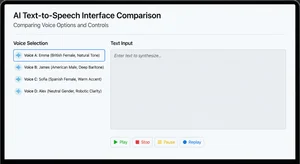
ElevenLabs is the gold standard for voice quality right now. The free tier is limited (around 10,000 characters per month), but the voice cloning and quality is noticeably above the field. For a professional faceless channel making money, upgrading to a paid tier makes sense. For testing and limited use, the free tier is genuinely impressive.
Murf AI has a cleaner interface than many competitors and decent voice quality. The free plan is limited, but the voice editor that lets you adjust emphasis and pacing word-by-word is genuinely useful for getting narration that sounds the way you want it.
Google Cloud TTS has hundreds of voices and excellent quality in multiple languages. It's technically free for generous monthly character counts if you set up a developer account, which takes a bit of setup but pays off if you produce at volume.
How to Actually Use TTS for YouTube Effectively
Here's where a lot of creators get this wrong. They paste their script into TTS, get the audio, and dump it onto their video without any adjustment. The result sounds serviceable but not engaging.
A few things that make a real difference:
Write for speech, not for reading. Sentences that look fine in text often sound weird when spoken. Short sentences. Avoid parenthetical asides. Spell out numbers and abbreviations. Read your script out loud before generating. If you stumble anywhere, rewrite it.
Use punctuation strategically. Most TTS systems treat commas and periods as pause length guides. An em-dash or ellipsis in many tools creates a longer pause. Where you want emphasis, a separate sentence with a period works better than a comma clause.
Generate at slightly slower than natural speed. Most TTS tools let you set speaking rate. The default often sounds slightly rushed. Pulling it back 10-15% gives the voice room to breathe. Audiences absorb information better with pacing that's slightly slower than conversational speed.
Layer with background music. Even high-quality TTS benefits from subtle background music. The music fills the natural dead spaces and adds emotional texture that purely TTS audio lacks. Keep it at 10-20% of the voice volume.
Vary your scripts. If you're using the same voice for every video, vary the script structure. Some videos might work better as a monologue, others as a Q&A format (even if both sides are TTS), others with a clear intro/main/conclusion structure. The structure variation keeps your channel feeling fresh even with the same voice.
Which Tools for Which YouTube Niches
For finance and investing channels: Clear neutral accent, slower pacing, authoritative male or female voice. ElevenLabs or Cliptics with a professional-sounding voice setting.
For tech review and explainer channels: Slightly faster pace, enthusiastic tone. Murf's upbeat voices or ElevenLabs work well here.
For history and documentary channels: Deep, measured narration pace. Look for voices with good resonance. Google Cloud TTS has some excellent documentary-style voices.
For self-help and productivity: Warm, conversational tone. Cliptics AI text to speech free has warm voice options that work well here.
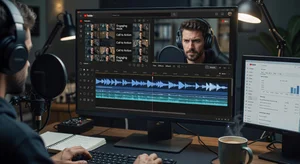
For multi-character content (debate formats, interview simulations): Cliptics multi-speaker TTS lets you set up different voices for different characters, which is genuinely useful for this format.
The Honest Assessment
TTS for YouTube has crossed a threshold where it's a legitimate creative choice rather than a compromise. That said, it's still most effective for channels where the content is the primary value, not the personality. Finance breakdowns, tutorial content, documentary-style explainers, news analysis, all of these categories work very well.
For personality-driven channels where the creator's charm and spontaneity are the product, nothing replaces a real human voice. But for a huge range of content types, the free and affordable TTS tools available now make voiceover production genuinely accessible to anyone who wants to create.
Start with Cliptics TTS for your first few scripts, evaluate the output critically, and compare against a paid tool like ElevenLabs to understand the quality gap for your specific content type. The right answer depends on your niche, production volume, and how much polish your audience expects.