
Best Free GIF Compressor Online in 2026 (No Watermark, No | Cliptics
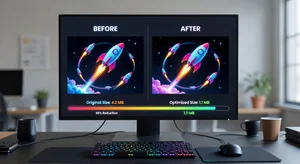
Look, I get it. You've got this perfect GIF that captures exactly what you need, but the file size is massive. You try to upload it somewhere and get hit with that dreaded file size limit. Been there way too many times.
Here's the thing about GIFs in 2026 - they're still everywhere. Social media, websites, messaging apps. But they can get huge fast, especially if you're working with high quality animations or longer clips. And nobody wants to deal with watermarks or create yet another account just to compress a file.
I've tried probably a dozen different GIF compressors over the years. Some slap watermarks all over your work. Others make you sign up and verify your email before you can even compress a single file. Or they limit you to tiny files unless you upgrade. It gets old real quick.
What Makes a GIF Compressor Actually Good
When I'm looking for a tool to compress GIFs, there's a few things that matter. First off, it needs to actually work without making my GIF look like garbage. I've seen compressors that'll shrink your file size alright, but the result is so pixelated and choppy that you might as well not bother.
The compression needs to be smart. Good compressors analyze each frame and figure out what can be optimized without destroying the visual quality. They look at color palettes, frame timing, and redundant pixels between frames.
Speed matters too. I don't want to sit around waiting five minutes for a 2MB GIF to compress. The best tools process files in seconds, maybe a minute at most for really large ones.
And honestly, the interface should just make sense. Upload, compress, download. That's it. I shouldn't need a tutorial to figure out how to use a compression tool.
Why Cliptics Actually Works
I started using Cliptics GIF compressor a while back and it pretty much handles everything I need. No account required, which is refreshing. You just drop your GIF in and it compresses it right there in your browser.
The compression algorithm is solid. I've compressed GIFs down to 40 or 50 percent of their original size without any noticeable quality loss. For social media posts where you need files under a certain size, that's huge. You keep the smooth animation and colors, but the file actually uploads.
Processing happens fast too. Most GIFs are done in under 30 seconds. Even larger files that are 10 or 15MB don't take forever. And there's no watermark stamped on your final result, which should be standard but apparently isn't with a lot of free tools.
The Technical Stuff That Actually Matters
GIF compression works by reducing redundant data without completely destroying your image. Think about it like this - if you have a 50 frame GIF where the background barely changes, a smart compressor recognizes that and doesn't save the full background data for every single frame.
Color palette optimization is another big factor. GIFs are limited to 256 colors per frame anyway. Good compression analyzes what colors you actually need and builds an efficient palette. Sometimes you can drop certain shades that aren't really visible and save space.
Frame timing adjustments can help too. If you've got a GIF running at 60 frames per second, dropping it down to 30 or even 24 might not look different to the human eye but it'll cut your file size significantly.
Dithering is where things get interesting. It's a technique that creates the illusion of more colors by mixing the limited palette you have. Done right, it makes compressed GIFs look way better than they should given their file size.
When You Actually Need This
There's specific situations where GIF compression becomes essential. Social media platforms all have different file size limits. Twitter, Instagram, Discord - they'll all reject your file if it's too big. Having a reliable compressor means you can actually post what you want instead of scrambling to find alternatives.
Email attachments are another one. Try sending a 20MB GIF through email and watch half your recipients never see it because it got stripped out. Compress it down to 3 or 4MB and suddenly everyone can view it.
Website performance is no joke either. If you're embedding GIFs on a blog or product page, large files slow down your load time. That affects your search rankings and makes visitors bounce. Smaller, optimized GIFs keep things running smooth without sacrificing the visual impact.
What to Watch Out For
Not every GIF needs maximum compression. If you're crushing a file down to 10 percent of its size, yeah, you're probably going to see quality loss. There's always a tradeoff between file size and visual fidelity.
Some GIFs have complex gradients or lots of colors, and those don't compress as well as simpler animations. If your GIF looks worse after compression, try a lighter compression setting. Most good tools let you adjust how aggressive the compression is.
Really long GIFs, like over 100 frames, can be tricky. At some point you might be better off converting to video format instead. MP4 files are way more efficient for longer animations and most platforms support them now.
Wrapping This Up
Finding a free GIF compressor that actually works, doesn't add watermarks, and doesn't make you create an account shouldn't feel like a victory, but here we are. The tools that do it right make a real difference when you're working with GIFs regularly.
Compression technology keeps getting better. What used to require desktop software and technical knowledge now happens in your browser in seconds. That's pretty convenient for quick edits and social media posts.
If you're dealing with oversized GIFs and need them smaller fast, try a proper compression tool before you start manually editing frame by frame or converting formats. Usually you can get exactly what you need without all that extra work.