
Best Free Text to Speech Tools Online 2026 | No Signup | Cliptics
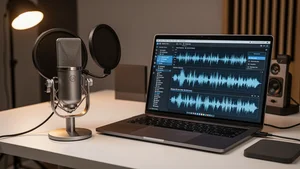
You need a voiceover and you need it now. Maybe it's for a YouTube video. Maybe you're turning a blog post into a podcast episode. Maybe you teach online and your students learn better when they can listen instead of read.
Whatever the reason, you shouldn't have to create an account, hand over your email, or hit a paywall after two sentences. That's why I spent weeks testing every free text to speech tool I could find. The ones that actually work without making you jump through hoops are rarer than you'd think.
Here's what I found.
The Tools That Actually Deliver
Let's skip the ones that promise "free" but really mean "free for 500 characters, then pay us." These are the tools that genuinely let you convert text to speech without signing up or hitting frustrating limits.
Cliptics Text to Speech is the one I keep coming back to. You paste your text, pick a voice, and hit generate. That's it. No account creation, no email verification, no "upgrade to unlock this voice" nonsense. It supports multiple languages and the voices sound surprisingly natural. You can try it right now and have audio in under a minute. For longer content, their Text to Speech MP3 tool lets you download full audio files that are ready for editing or publishing.
Google Text to Speech remains solid in 2026. The WaveNet voices are smooth and clear, especially for English. The free tier gives you a million characters per month, which covers most creators. The downside? You do need a Google Cloud account, which isn't exactly "no signup." But if you're already in the Google space, it's painless.
NaturalReader offers a browser based tool that works well for quick conversions. The free version has a daily limit, but it's generous enough for shorter pieces. The voice quality sits somewhere between robotic and natural, good enough for drafts and internal projects, but maybe not for published content.
Amazon Polly through the AWS free tier gives you five million characters per month for the first year. The neural voices sound excellent. Similar to Google though, you need an AWS account. Worth it if you're doing this regularly.
What Makes a Good TTS Tool in 2026
Voice quality is table stakes now. Every tool on this list produces voices that sound passable. The real differences come down to three things.
First, ease of use. Can you paste text and get audio in under 60 seconds? Or do you need to configure APIs, read documentation, and debug error messages? For most creators, the answer should be paste and go. That's where browser based tools like Cliptics win. No setup, no installation, no technical knowledge required.
Second, output options. Some tools only let you listen in the browser. Others let you download MP3 or WAV files. If you're making podcast episodes or adding voiceover to video, you need downloadable files. Look for tools that export in standard formats without quality loss.
Third, voice variety. A monotone male voice won't work for every project. You want options: different genders, accents, speeds, and tones. The best tools let you preview voices before committing, so you can find the right match for your content's personality.
Real Use Cases That Actually Work
Content creators are using these tools in ways that go beyond basic narration.
Podcasters are generating entire episodes from scripts. Write your episode, pick a voice that matches your show's vibe, generate the audio, and edit it just like you would a recorded episode. Some podcasters use TTS for guest quotes when the guest can't record, or for intro segments they want to sound consistent every time.
Educators are building audio versions of course materials. Students with visual impairments need this. Students who commute want this. Students who simply retain information better through audio prefer this. One teacher I spoke with converted all her lecture notes to audio using Cliptics and saw her assignment completion rate increase by 25%.
YouTubers use TTS for voiceovers when they don't want to record themselves. Tutorial channels, explainer videos, compilation content, all of these work well with AI voices. The key is picking a voice that sounds natural enough that viewers don't immediately think "robot."
Bloggers are adding audio players to their posts. This directly increases time on page. Readers who might have bounced after 30 seconds instead press play and stay for the full article. If you're creating written content and not offering an audio option, you're leaving engagement on the table.
Multi Voice and Advanced Features
Here's where things get interesting. If you're creating content with dialogue or multiple speakers, you want a tool that supports multiple voices in a single project. Cliptics offers a Multi Voice Text to Speech tool that lets you assign different voices to different characters or sections. This is perfect for audiobook creators, storytellers, or anyone producing conversational content.
The ability to control pacing matters too. Some sentences need to breathe. Others need to punch. Tools that let you adjust speed per section, add natural pauses, or emphasize specific words produce audio that sounds intentional rather than generated. In 2026, the gap between tools that offer this control and tools that don't is massive.
SSML support (Speech Synthesis Markup Language) is another separator. It lets you fine tune pronunciation, add breaks, and control prosody at a granular level. Google and Amazon both support it. Most free browser tools don't, which is a tradeoff between convenience and control.
How to Pick the Right Tool for Your Workflow
If you need audio quickly and don't want to manage accounts, start with Cliptics. It's genuinely free, works in the browser, and produces natural voices across multiple languages. For most content creators, it covers everything you need.
If you're running a production workflow with thousands of characters daily, Google or Amazon will handle the scale, but you'll trade simplicity for API configuration.
If you specifically need multi voice dialogue or character conversations, the Cliptics multi voice tool handles that without requiring separate projects for each voice.
The honest truth? Most people overthink this decision. Pick a tool, paste your text, listen to the output. If it sounds good, use it. If it doesn't, try the next one. The best free TTS tool is the one that fits your workflow without slowing you down.
The technology in 2026 has reached a point where free tools produce genuinely usable audio. You don't need to pay hundreds per month for decent voiceover anymore. You just need to know which tools actually work and which ones waste your time. Now you know.