
Multi-Voice Text-to-Speech for Podcasters: Produce | Cliptics
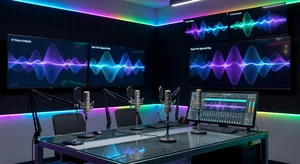
The biggest barrier to podcasting has always been the production side. You need a microphone, acoustic treatment, editing software, time to record, patience to do retakes, and ideally a co-host who can match your schedule. That list used to eliminate most people before they ever published their first episode.
Multi-voice AI text-to-speech has quietly dismantled that barrier. You can now produce a podcast episode with multiple distinct voices having a natural-sounding conversation without recording a single second of audio yourself. The result is professional, listenable content that you can produce in a fraction of the time.
This guide walks you through the practical workflow for creating engaging podcast episodes using Cliptics Multi-Voice Text-to-Speech.
Why Multi-Voice Works Better Than Single-Voice
Single-voice podcast narration works for certain formats. Audiobooks, solo commentary, and direct-to-audience content can all succeed with one voice. But most successful podcasts have more than one voice, and there is a reason for that.
Dialogue is cognitively easier to follow. When two or more voices take turns, listeners can track separate perspectives and follow a conversation the same way they follow conversations in real life. It creates natural pacing through turn-taking. It builds character and personality through vocal contrast. And it maintains attention longer because the pattern of alternation keeps the brain engaged.
Conversational formats also feel more credible. A single narrator explaining something can sound authoritative but also one-dimensional. Two voices debating, questioning, and building on each other creates the feeling of genuine exploration.
Selecting and Differentiating Your AI Voices
The key to a believable multi-voice podcast is choosing voices that contrast well. When all your voices sound similar, listeners lose track of who is speaking. When the voices have clear personality differences, each character becomes memorable.
Think about these dimensions when selecting voices:
Pitch and register: Pair a higher-pitched voice with a lower one. The contrast creates clear differentiation even when listeners are not fully focused.
Pacing and energy: Some AI voices have a faster, more energetic delivery style. Others are measured and deliberate. Matching pacing contrast to character roles (the enthusiastic host vs the analytical expert) makes the dialogue feel natural.
Tone: Warm vs analytical, informal vs formal. This should match the characters you are building.
Cliptics Multi-Voice TTS lets you assign different voices to different speakers in a single script, preview the combination, and adjust before rendering the final audio.
Writing Scripts That Sound Natural
AI voices read what you write, so the writing quality determines the audio quality. Scripts that sound natural in human reading do not always translate well to text-to-speech.
Write for the ear, not the eye. Short sentences sound more natural. Contractions (don't, can't, it's) sound less stiff than formal alternatives. Conversational transitions ("right, so", "interesting, because", "okay but here's the thing") add naturalness.
Use phonetic spelling for uncommon terms. If your podcast covers technical subjects, spell out difficult words phonetically in the script so the AI pronounces them correctly. Test pronunciation before recording your full episode.
Add stage directions as pauses. You can often insert punctuation strategically to create natural pause lengths. A comma creates a short pause. An em dash creates a beat. A period creates a full stop. Use these intentionally.
Write dialogue, not lectures. Even in an educational podcast, structure the information as questions and answers, challenges and responses, rather than one character delivering uninterrupted monologue.
The Production Workflow
Here is the complete workflow from idea to published episode:
1. Outline the episode structure. Decide on your topic, the key points you will cover, and how you want to structure the discussion (intro, main segments, conclusion).
2. Write the script. Draft the full dialogue for each speaker. Aim for 1,500 to 2,000 words for a 12 to 15 minute episode. Keep individual speaking turns to 3 to 5 sentences before handing off to the next voice.
3. Assign voices in Cliptics. Import your script into Cliptics Multi-Voice TTS. Label each speaker and assign a distinct voice. Preview the combination.
4. Generate and review. Generate the full audio. Listen through once to catch pronunciation errors, unnatural pauses, or pacing issues.
5. Edit the script if needed. Fix any problem spots in the text and regenerate those sections. This is far faster than re-recording human audio.
6. Add music and effects. Import the generated audio into a free editor like Audacity or GarageBand. Add intro/outro music, transition sounds, and equalize the overall audio level.
7. Export and publish. Export as MP3, upload to your podcast host (Anchor, Buzzsprout, Podbean), and publish.
Episode Formats That Work Well
Not every podcast format translates equally well to AI multi-voice production. Some work exceptionally well.
Interview format: Write an interview-style script where one voice plays the host asking questions and another plays an expert answering them. This works for educational, business, and technical podcasts.
Debate and comparison: Two voices take different positions on a topic. Works well for tech comparisons, business strategy discussions, and opinion-driven content.
News roundup: Two voices discuss weekly developments in your niche. One introduces topics, the other provides analysis.
Explainer series: A "curious learner" character asks questions about complex topics while an "expert" character explains. The question-answer structure is engaging and naturally structured.
Narrative storytelling: Multiple characters voice a story. Works well for true crime summaries, historical recounting, and case study narratives.
Making Your Podcast Discoverable
Great audio content needs discoverability to grow an audience. A few basics make a significant difference.
Write keyword-rich episode titles and descriptions. Include the specific terms your target audience would search. Distribute to all major platforms (Spotify, Apple Podcasts, Amazon Music) automatically through your hosting platform. Create audiograms (short video clips of your audio with a waveform visualization) for social media promotion.
The barrier to podcast creation is lower than it has ever been. Multi-voice AI TTS gives you the ability to produce consistent, professional-sounding episodes on any schedule, without equipment constraints or co-host availability issues.
The question is no longer whether you can produce a podcast. It is what story you want to tell.