
QR Code Business Card Strategies: Dynamic Codes & vCard | Cliptics
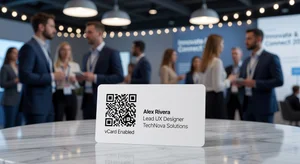
Paper business cards have a fundamental problem: they are static. The moment you print them, they are frozen in time. Change your phone number, get a new email address, or update your job title and your entire stack of cards becomes incorrect. You either hand out outdated information or toss an expensive print run.
Dynamic QR codes solve this completely. And when combined with vCard integration, they turn the traditional business card into something far more powerful than a slip of paper.
This guide covers everything you need to know about building a modern QR code networking strategy in 2026.
Static vs Dynamic QR Codes: Why It Matters
Most QR codes are static. The data is baked directly into the QR pattern itself. Once printed, the destination cannot change. If the link breaks, the QR code becomes useless.
Dynamic QR codes work differently. The QR code itself points to a short URL managed by the QR platform. The destination behind that URL can be updated anytime without changing the physical QR code. Your printed card stays accurate no matter how many times your contact information changes.
For business professionals, this difference is enormous. Think about how often professional contact details change: promotions, company changes, new websites, new phone numbers. With static QR codes, each change means reprinting. With dynamic QR codes, you update the destination once from your phone and every scanned version of that code automatically reflects the change.
Cliptics vCard QR Code Generator creates professional dynamic QR codes that stay current with your contact information.
What a vCard QR Code Contains
A vCard (Virtual Contact) is a standardized format for digital contact cards. When someone scans a vCard QR code, their phone offers to instantly save your contact information directly to their address book. No typing, no transcription errors, no "let me find you on LinkedIn."
A well-built vCard includes:
- Full name and preferred name
- Current job title and company name
- Professional email address
- Mobile and office phone numbers
- Company website
- LinkedIn profile URL
- Physical office address
- Professional headshot (optional but memorable)
- Short bio or tagline
The difference between handing someone a paper card they might lose and having your information saved instantly to their contacts is significant. Scan-to-save conversion rates for vCard QR codes run much higher than the follow-through rate on traditional paper cards.
Creating Your QR Business Card
The creation process using Cliptics QR Code Maker takes less than 10 minutes.
1. Gather your contact information. Decide exactly what you want included. Keep it professional and current. Use a primary email you check daily.
2. Create your vCard QR code. Go to Cliptics vCard QR Code Generator. Fill in your contact details. The tool generates a QR code that, when scanned, prompts the scanner to save your information directly to their phone contacts.
3. Design your business card. You have two main paths here. You can use the QR code on a traditional printed card (make the QR code at least 1.5 cm square for reliable scanning). Or you can go fully digital with a dedicated landing page that shows your QR code, contact details, and links.
4. Test before printing. Scan the QR code yourself with multiple phones. Test with both iPhone and Android. Test in different lighting conditions. Make sure the vCard import works correctly on both operating systems.

5. Print strategically. Print a smaller initial run first. Test your QR card in real networking situations and get feedback before committing to a large print order.
Design Principles for QR Business Cards
A QR code is a functional element, not a decorative one. Design decisions affect scan reliability.
Size matters. The minimum reliable size for most scanners is 1.5 cm x 1.5 cm. Bigger is better when space allows. A QR code at 2.5 cm x 2.5 cm will scan quickly from almost any angle.
Contrast is critical. QR codes need strong contrast between the dark modules and the light background. Dark code on white or light cream background works reliably. Avoid printing QR codes over patterned or textured backgrounds.
Leave white space. Maintain a clear margin (called "quiet zone") around the entire QR code. No other design elements should enter this space. The quiet zone helps scanners identify where the code begins.
Do not go too clever. Heavily customized QR codes with colors, logos inside the code, or non-standard shapes can fail to scan reliably. Test extensively before printing if you choose a stylized design.
Tracking Scan Analytics
One advantage of dynamic QR codes that people often overlook is analytics. Dynamic QR platforms track when and where your code is scanned.
This data tells you which networking events generate the most engagement, what time of day people are scanning your card (suggesting they are adding your contact immediately at the event vs reviewing cards later), and whether your card is being shared.
For sales professionals, this information is genuinely valuable. Knowing that a prospect scanned your card three times suggests real interest. Knowing that no one from a particular conference scanned your code suggests that event was not worth attending.
Going Card-Free: The Digital-Only Approach
Some professionals are eliminating physical cards entirely. Instead of handing out a card, they pull out their phone and show their QR code for the other person to scan.
This works particularly well at tech industry events where the audience expects a digital-first approach. You can set your QR code as your phone lock screen wallpaper, save it as an image in your Photos app for easy access, or display it through a business card app.
The digital-only approach also eliminates the "I forgot my cards" problem and means your QR code is always current without any reprinting cost.
Integrating with LinkedIn
Your vCard QR code and your LinkedIn profile should work together, not compete. Include your LinkedIn URL in your vCard so that when someone scans your card, they have immediate access to your full professional history, endorsements, and content.
In the other direction, LinkedIn now supports QR codes natively. You can access your personal LinkedIn QR code from the app and share it for connection requests. Consider including this as a second QR code on your card, clearly labeled, giving the scanner a choice between adding you to their contacts or connecting on LinkedIn.
Dynamic QR codes represent a small but meaningful upgrade to professional networking. They eliminate outdated information problems, create measurable engagement data, and give the person on the other end a frictionless path to saving your contact details. The technology is accessible, the cost is minimal, and the professional signal you send is that you think ahead.
That is exactly the first impression worth making.