
eBay Photo Guidelines: Meeting Standards Without Photoshop | Cliptics
I got three listings removed my first week selling on eBay.
All because my photos didn't meet their guidelines. I didn't know there were guidelines. I just uploaded phone pics of stuff I wanted to sell.
Turns out eBay is pretty specific about what photos need to look like. But you don't need Photoshop to meet their standards.
What eBay Actually Requires
Main listing photo needs to be at least 500 pixels on the longest side. Ideally 1600 pixels for best search placement.
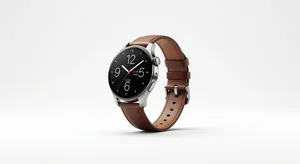
White or light solid background for certain categories. Especially electronics, clothing, and collectibles.
No watermarks, text, borders, or collages allowed on the main image.
Product must fill at least 80% of the frame. They want clear detailed shots, not tiny objects in vast empty space.
Photos need to accurately represent the actual item condition. No stock photos unless you're an authorized retailer.
The Background Situation
Getting a perfect white background without Photoshop used to be impossible for regular sellers.
Now there's the background remover and white background maker tools on Cliptics that handle this automatically.
Upload your product photo, remove the current background, replace it with pure white. Takes maybe 30 seconds per image.
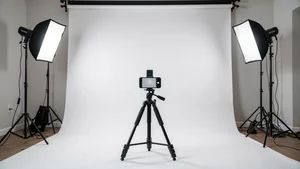
Way easier than trying to create a physical white background or learning Photoshop.
Size and Resolution Standards
Most phones now take photos way bigger than eBay's requirements. The problem is they also take huge file sizes.
eBay caps uploads at 12MB per image. A raw phone photo can easily hit 5 to 8MB.
You need to resize images to around 1600 pixels wide and compress them slightly. The image resizer handles both in one step.
Smaller file size means faster uploads and faster loading for buyers. Better experience all around.
Lighting Without Professional Equipment
eBay doesn't require professional photos but they do require clear well lit photos where buyers can see what they're getting.
Natural daylight near a window works great. Just avoid direct harsh sunlight.
If you're photographing at night, position two lamps at 45 degree angles to your product. Cheap desk lamps work fine.
The goal is even lighting without harsh shadows. You don't need expensive photography lights.
Multiple Angle Requirements
eBay lets you upload 12 photos per listing for free. Use most of them.
Front view, back view, sides, top, bottom if relevant. Any defects or wear need their own photos.
Close ups of important details like brand tags, serial numbers, special features.
More photos means fewer questions from buyers and fewer returns from mismatched expectations.

What Categories Are Strictest
Clothing and fashion accessories have the tightest photo requirements. White background almost mandatory for good visibility.
Electronics need clear shots of all ports, screens, any included accessories.
Collectibles and antiques need to show condition accurately. Any chips, cracks, wear must be photographed clearly.
Books need spine, cover, and any damage shown. Buyers care about condition details.
Common Rejection Reasons
Stock photos when you're not an authorized retailer. eBay can tell and will remove your listing.
Text overlays like "NEW" or "FREE SHIPPING" on the main image. Put that stuff in your title and description, not photos.
Blurry photos where the product isn't clearly visible. If your hands shake, use a surface to stabilize your phone.
Photos showing multiple items when you're only selling one. Confuses buyers about what's included.
The Border and Watermark Rule
No borders, frames, or decorative elements allowed on the main listing image. Keep it clean.
No watermarks even if you're worried about photo theft. eBay's rules prioritize buyer experience over seller protection.
Additional photos beyond the main one can sometimes have watermarks but it's better to skip them entirely.
How to Actually Meet Standards Quickly
Take photos on your phone near a window during daytime. Natural light looks best.
Use the background remover tool to get clean white backgrounds without physical setups.
Resize images to 1600px wide for optimal search placement without huge file sizes.
Take at least 6 photos per item showing different angles and any condition issues.
That's it. Meets all eBay guidelines without any professional equipment or software.
What Sells Better
Beyond just meeting minimum requirements, certain photo choices increase sales.
Items photographed in use or with size reference objects sell better than isolated product shots. Helps buyers visualize.
Close ups showing quality details outperform far away shots. Let people inspect what they're buying.
Honest photos of any flaws build trust more than hiding issues. Returns from surprises hurt more than upfront honesty.
My Current Process
I photograph everything near my living room window in the afternoon. Best natural light.
Upload to the background remover tool, get clean white backgrounds.
Resize to 1600px wide.
Upload to eBay with 8 to 12 photos showing every angle and detail.
Takes maybe 10 minutes per listing. Meets all guidelines. Looks professional enough to compete with serious sellers.
No Photoshop needed. No expensive equipment. No photography skills beyond pointing your phone camera at stuff.
eBay's photo guidelines seemed intimidating at first. Once I understood what they actually wanted and found simple tools to achieve it, they became easy to meet.
Better photos mean fewer questions, fewer returns, faster sales, higher prices. Worth the small effort to do it right.