
Free Online Image Editors vs Photoshop: What's Worth Using? | Cliptics
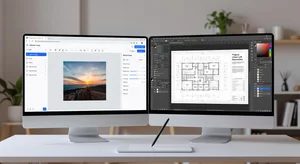
Every few months someone in a design forum posts the same question: can I really ditch Photoshop and use free tools instead? And the answers are always all over the place. Some say absolutely yes. Others say not a chance. The truth, predictably, is somewhere in the middle.
I've been doing design work for about eight years, and I've watched the free tool landscape change dramatically. What was genuinely limited five years ago is now surprisingly capable. So let's actually dig into this, because the answer really depends on what you're trying to do.
What Free Online Editors Are Actually Good At
The honest starting point: free browser-based editors have gotten genuinely impressive. Tools like Cliptics' AI image editor handle a wide range of tasks that used to require desktop software. Background removal, object replacement, format conversion, basic retouching, background blur, compression. All in the browser, no download required.
For most designers working on social media graphics, product photos, or blog visuals, this covers the daily workload pretty well. The turnaround is faster because you're not switching between apps. You just open a tab, edit, download, and move on.
The other thing free tools do well is accessibility. If you're working across multiple machines or handing tasks to someone who isn't a full-time designer, a browser-based tool means no software installs, no license keys, and no onboarding friction.
Where Photoshop Still Pulls Ahead
There's no point in pretending Photoshop doesn't have genuine advantages. For complex compositing work, where you're stacking ten layers with different blend modes, masking by channel, and making precise selections on hair or fur, Photoshop is still the more capable tool.
The same goes for print production workflows. If you're preparing files for offset printing, you need CMYK support, bleed settings, and precise color management. Most free online tools are built for screen, not print.
And if you're doing advanced photo retouching where you need frequency separation, dodge and burn on separate layers, or highly targeted color grading, Photoshop gives you more precise control.
The Real Comparison for Designers Day to Day
Here's what I've noticed working with different teams: about 70 percent of design tasks don't actually require Photoshop-level complexity. They require speed, flexibility, and good output quality. Free tools handle that range just fine.
For the other 30 percent, mostly involving complex compositing, precision retouching, or print production, Photoshop is still the better choice.
So the question isn't really "which is better?" It's "what do you spend most of your time doing?"
If you're a solo creator, freelancer, or small team doing digital marketing content, removing backgrounds, resizing for different platforms, compressing files, and doing basic image cleanup: free tools probably cover 80 to 90 percent of your needs. And for the rare task that needs more, you can access Photoshop specifically for that project.
If you're in an agency producing complex campaigns with intricate compositing and print deliverables regularly, Photoshop makes sense as your core tool, with free tools supplementing for quick tasks.
The Portrait and AI Enhancement Factor
One area where free tools have pulled surprisingly far ahead is AI-enhanced portrait work. Tools like Cliptics' free portrait enhancer apply intelligent enhancements, smooth skin tones naturally, and adjust lighting in ways that previously required a skilled retoucher.
This matters for designers who handle headshots, product model shots, or brand imagery. The output quality has reached a point where clients genuinely can't tell the difference between an AI-enhanced image from a free tool and one that went through a full Photoshop retouching workflow.
My Honest Take
If I were starting from scratch today, I wouldn't pay for Photoshop unless I had a specific need for its advanced compositing capabilities. The free landscape is good enough for most digital design work, and it's improving constantly.
What I'd do instead: build a toolkit of free tools that each do one thing really well. A dedicated background remover. A good AI image editor for generative edits. A solid compression tool. That combination is faster than one heavy application and costs nothing.
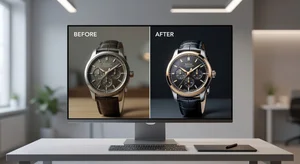
For designers still on the fence: try running your next week's workload entirely through free tools. Track what you can and can't accomplish. My guess is you'll find the gaps are smaller than you expected.
The tools that exist now aren't "good enough for free." They're just good.