
Hair Color Simulation: Avoiding Color Disasters in 2026 | Cliptics
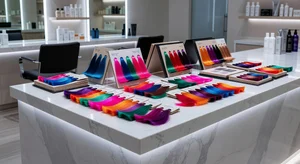
I've made some questionable hair color decisions in my life. There was the time I went way too dark and looked washed out for months. The blonde phase that turned orange. The "this will totally work" red that absolutely did not work.
Each time, I genuinely thought it would turn out great. I looked at inspiration photos, consulted with my colorist, felt confident about the decision. And then I saw the final result and thought, well, this is not what I pictured at all.
The problem is that hair color is so hard to visualize. You're looking at someone else with a certain shade, trying to imagine it on yourself, factoring in your skin tone, your natural color, your overall vibe. It's a lot of guesswork. And sometimes you guess wrong.
But now there's a way to actually see yourself with a different hair color before you commit to it. AI hair color simulation lets you preview shades on your own photo. It's not perfect, but it's way better than crossing your fingers and hoping for the best.
How I Should Have Been Doing This
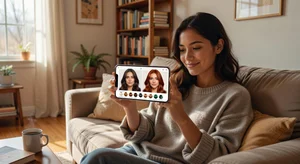
Here's what I do now before any major color change. I upload a clear photo of myself to an AI hair color simulator. Then I start trying different shades. Lighter, darker, warmer, cooler. Red tones, ash tones, everything.
The AI shows me what I'd look like with each color. And suddenly those guessing games are gone. I can see if that honey blonde I've been dreaming about actually complements my skin tone. I can check if going darker would make me look older or more sophisticated or just plain wrong.
It's the preview I wish I'd had for all those past color disasters. Would have saved me so much time, money, and bad hair days.
Testing Colors You're Nervous About
The best part about simulating hair color is that you can try options you'd never risk doing in real life without seeing them first. Always wondered if you'd look good with pink hair? Try it virtually. Curious about platinum blonde but scared of the commitment? Preview it.
I've tried purple, blue, silver, every shade of blonde and brunette you can imagine. Some looked surprisingly good. Others confirmed my suspicions that yeah, that's not for me. But I found out risk-free.
This is especially useful for those trendy colors you see everywhere. Just because it's popular doesn't mean it'll work for your specific coloring. Simulation lets you test that theory before spending a few hundred dollars at the salon.
Avoiding My Past Mistakes
Let me tell you about that time I went too dark. I thought it would look dramatic and cool. In the simulation? I would have seen immediately that it made my skin look pale and my features look harsh. Would have saved me from months of waiting for it to fade out.
Or the blonde disaster. If I'd previewed that specific shade, I would have noticed it clashed with my skin's undertones. I would have gone for something warmer or less ashy. Instead, I learned this lesson the expensive way.
Now I test everything first. Even if I'm just going a shade lighter or darker, I want to see it. Because hair color is one of those things where a small change can make a big difference, and not always in a good way.
Talking to Your Colorist
One thing I've started doing is bringing these simulations to my color appointments. I show my colorist the shades I've tried virtually, point out which ones I liked, and ask if those tones would work with my natural color and hair type.
Colorists seem to appreciate this. It gives them a much clearer picture of what I'm after. Instead of me trying to describe a color or showing them a photo of a celebrity (who has completely different coloring than I do), I'm showing them me with that color.
Then they can tell me honestly if it's achievable, how much maintenance it'll require, whether we need to do it gradually, all the practical stuff. It makes the whole consultation so much more productive.
Understanding Undertones
Here's something I learned through color simulation. Undertones matter way more than I thought. Two people can have the same skin tone but completely different undertones, and what looks good on one will look off on the other.
When you're previewing hair colors on yourself, you start to see this. Certain shades make your skin look radiant. Others make you look tired or washed out. You can't really tell this from looking at someone else with that color. You have to see it on yourself.
I realized I look terrible in ashy tones. They make me look sickly. But warm browns and honey blondes? Those work. I never would have figured that out without testing colors virtually first.
Seasonal Changes
Something fun I've started doing is previewing seasonal color changes. Maybe I want to go a bit lighter for summer, richer for fall. I can simulate these changes ahead of time and see if they're worth doing.
Sometimes I'll preview a color and think, yeah, that's nice but not different enough to justify the time and money. Other times I'll see a shade and immediately know I want to do it. The simulation helps me make those calls before I'm sitting in the salon chair.
You can also try this with different hairstyles to see how a color looks with various cuts and lengths. Maybe that burgundy looks amazing with long hair but not so great with a bob. Good to know beforehand.
What It Can't Tell You
To be fair, simulation has limits. It can't tell you how the color will fade over time, how much maintenance it'll need, or if your hair will actually take the color the way you want. That's where your colorist's expertise comes in.
It also can't account for your hair's current condition. If your hair is super damaged, going platinum might not be realistic even if it looks great in the simulation.
But for the basic question (does this color look good on me?), it's incredibly helpful. And honestly, that's the hardest part to figure out.
Saving Money and Time
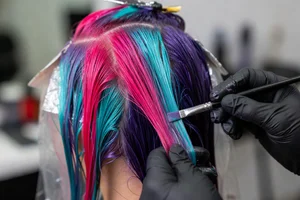
Let's talk practical benefits. Every hair color disaster I've had cost me money to fix. Either I paid to have it corrected, or I bought products to help it fade faster, or I just lived with it until I could afford to change it.
Color simulation costs nothing. You try colors for free, rule out the ones that don't work, and only pay for the ones you know will look good. That's saved me so much money and salon time.
Plus, there's the emotional cost of having hair you hate. That's worth avoiding too.
Getting Started
Most hair color simulators are free and really easy to use. You just need a clear photo of yourself with your hair visible. Natural lighting works best so the AI can accurately show how different shades look against your skin.
Try Cliptics' hair color tool and start experimenting. Try that color you've been thinking about. Try some you haven't considered. See what actually flatters you.
You might be surprised. Colors you thought would work might not. Colors you never considered might look amazing. You won't know until you see it.
Learn from My Mistakes
Seriously, if I could go back and tell my younger self one thing about hair color, it would be this: stop guessing and start simulating. Every bad color decision I made was because I couldn't accurately visualize the end result.
Now I can. And my hair color choices have gotten so much better. No more disasters, no more expensive fixes, no more months of waiting for bad color to fade.
Just good decisions based on actual visual information. That's what simulation gives you. Use it. Your future self will thank you.