
"Hardware Security Keys: Why Passwords Aren't Enough in 2026 | Cliptics"
I got locked out of three accounts in one week last year. Not because I forgot my passwords. Because someone else figured them out.
The first was my email. Then a cloud storage account. Then a payment app. All protected by what I thought were strong passwords. Unique ones. Long ones with special characters and random numbers. Didn't matter. A credential stuffing attack from a data breach I didn't even know about wiped out months of false confidence in about forty-eight hours.
That experience forced me to look beyond passwords entirely. And what I found changed how I think about online security. Hardware security keys aren't just better than passwords. They solve a fundamentally different problem.
The Password Problem Nobody Wants to Admit
Here's the uncomfortable truth about passwords in 2026: they were designed for a world that no longer exists.
Passwords assume that a secret you memorize and type into a box is enough to prove who you are. That assumption breaks in dozens of ways. People reuse passwords across sites. Phishing attacks trick people into entering credentials on fake login pages. Keyloggers capture every keystroke. Data breaches expose millions of password hashes that attackers crack offline using GPU clusters.
Even strong passwords fail against these threats. A 32-character random password is useless if a phishing site captures it. Your carefully crafted passphrase doesn't help when the database storing its hash gets stolen and cracked.
Two-factor authentication with SMS codes helped for a while. But SIM-swapping attacks made that vulnerable too. Authenticator apps like Google Authenticator are better, but they're still susceptible to real-time phishing attacks where attackers relay your code to the real site before it expires.
The core problem is that passwords and codes are information. Information can be copied, intercepted, and replayed. You need something that can't be duplicated.
What Hardware Security Keys Actually Do
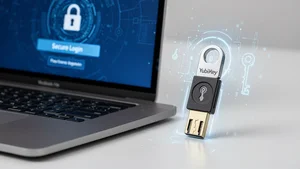
A hardware security key is a physical device, usually the size of a USB drive, that proves your identity through cryptographic challenge-response. When you register a key with a service, the key generates a unique public-private key pair. The private key never leaves the device. Ever. It can't be exported, copied, or extracted.
When you log in, the service sends a challenge to the key. The key signs that challenge with the private key and sends back the response. The service verifies it with the stored public key. No secrets are transmitted. No codes to intercept. No passwords to phish.
This is the FIDO2 standard, and it's genuinely phishing-proof. The key checks the origin of the request. If you're on a fake login page that looks identical to your bank, the key refuses to respond because the domain doesn't match. You don't have to spot the difference between "bank.com" and "bánk.com" with a sneaky accent character. The key does it for you.
That's the breakthrough. You're not relying on human judgment to detect phishing. The hardware handles it automatically.
Choosing the Right Key for Your Situation
The market has matured significantly. Here are the main options worth considering.
YubiKey 5 series remains the most versatile choice. It supports FIDO2, U2F, OTP, smart card, and OpenPGP. The YubiKey 5 NFC works with both USB-A computers and NFC-enabled phones. The 5C Nano sits flush inside a USB-C port, basically invisible. Pricing ranges from $50 to $75 depending on the form factor.
Google Titan keys are solid if you live in the Google space. The latest version supports USB-C, NFC, and passkeys. At around $30, they're the most affordable option from a major brand. They work with any FIDO2-compatible service, not just Google.
Thetis keys offer budget-friendly FIDO2 support starting around $25. They lack some of the advanced protocol support of YubiKey, but for basic hardware-based two-factor authentication, they get the job done.
OnlyKey takes a different approach. It stores passwords directly on the device and types them for you, combining a password manager with a security key. It's more complex to set up but offers features no other key matches.
For most people, I'd recommend starting with a YubiKey 5 NFC or Google Titan. Both cover the essential use cases and work with the widest range of services.
Setting Up Your First Key
The setup process is simpler than most people expect. Here's what it actually looks like.
Go to the security settings of any major service. Google, Microsoft, GitHub, Dropbox, Facebook, and hundreds of others support hardware keys. Look for "Security Key" or "Passkey" in the two-factor authentication section.
Insert your key into a USB port or tap it to your phone via NFC. The service will ask you to touch the key to confirm. That touch is important. It proves a human is physically present, preventing remote malware from silently authenticating.
Register at least two keys. This is critical. If you lose your only key, you're locked out. Keep the backup key somewhere safe, like a fireproof box or a trusted family member's house. Most services let you register multiple keys.
Save the backup codes the service generates. Store them offline, printed on paper. These are your emergency access method if both keys are unavailable.
The whole process takes about five minutes per service. I set up all my critical accounts in a single evening.
The Passkeys Evolution
Hardware security keys laid the groundwork for passkeys, which are now built into most operating systems and browsers. Passkeys use the same FIDO2 cryptographic principles but store the credentials in your device's secure hardware, like the Secure Enclave on iPhones or TPM chips on PCs.
Passkeys are a massive step forward for mainstream adoption. But hardware security keys still have advantages. They work across all devices without syncing. They're not tied to any cloud account. If your phone dies or your laptop gets stolen, your keys still work on any other device.
For high-security accounts like email, banking, and cryptocurrency, using a hardware key as your primary authenticator with passkeys as a convenient backup strikes the right balance between security and usability.
What Stops People and Why Those Reasons Don't Hold Up
The most common objection I hear is cost. But compare a $30-50 key to the potential damage of a compromised email account. One successful attack can lead to identity theft, financial loss, and months of cleanup. The key pays for itself the first time it blocks a phishing attempt you might not have caught.
Another concern is losing the key. That's why you register two and save backup codes. The system accounts for this. It's no different from having a spare house key.
Some worry about compatibility. In 2026, hardware key support is nearly universal among major services. The FIDO Alliance has over 300 member organizations pushing the standard. If a service doesn't support security keys yet, that's a red flag about how seriously they take security.
The inconvenience argument is the weakest one. Touching a key takes two seconds. Recovering from a compromised account takes weeks.
Building Your Security Stack
Hardware security keys work best as part of a layered approach. Here's what I recommend.
Use a password manager for generating and storing unique passwords. The key doesn't replace passwords entirely at most services yet. It adds a second factor that's unphishable.
Enable hardware key authentication on your email first. Email is the master key to everything else since password resets flow through it.
Then secure your financial accounts, cloud storage, and social media. Prioritize anything that could cause real damage if compromised.
Keep your backup key updated. When you add a new service, register both keys. Make it part of the routine.
Where This Goes Next
The direction is clear. Passwords are being phased out. Major platforms are pushing passkeys. Hardware security keys will evolve into the high-security option for people who need the strongest protection, think journalists, executives, activists, and anyone handling sensitive information.
The technology is already here. It works. It's affordable. The only question is whether you set it up before or after someone compromises your accounts.
I set mine up after. I'd strongly recommend you do it before.