
"Image Format Guide: JPG vs PNG vs WebP vs AVIF | Cliptics"
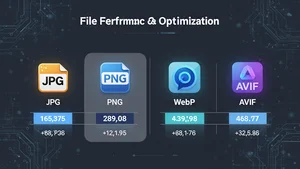
I convert thousands of images every month. Product shots, social media graphics, blog illustrations, the whole range. And the single question that keeps coming up from clients, colleagues, even developers who should know better: "Which format should I use?"
The honest answer is that it depends. But not in the useless, hand wavy way people usually mean. It depends on exactly three things: what the image contains, where it will be displayed, and how much you care about file size. Once you know those three variables, the choice becomes obvious every time.
Let me walk you through what I have learned from years of testing, benchmarking, and occasionally breaking production sites with the wrong format choice.
JPG Still Has a Place
JPG turned 34 this year. In tech years, that is ancient. And yet it remains the most widely used image format on the internet by a significant margin.
The reason is simple: JPG handles photographs extremely well at reasonable file sizes. A 1920x1080 photo compressed to quality 80 typically lands around 200 to 400 KB. That is perfectly acceptable for most use cases. Every browser ever made supports it. Every CMS handles it. Every image CDN optimizes it without configuration.
Where JPG falls apart is anything with sharp edges, text, or transparency. Compress a screenshot with thin fonts and you will see ugly artifacts around every letter. Logos turn into smudgy messes. And if you need a transparent background, JPG simply cannot do it.
My rule: use JPG for photographs and complex scenes where nobody will zoom in to pixel level. If you are uploading vacation photos, product photography on colored backgrounds, or editorial imagery, JPG still works fine. You can quickly convert between formats using the Cliptics image converter if you want to test the difference yourself.
PNG for Precision and Transparency
PNG is the format you reach for when quality cannot be compromised. Screenshots, logos, UI elements, illustrations with flat colors, anything with text overlay or transparency needs PNG.
The tradeoff is file size. A PNG version of the same 1920x1080 photo that was 300 KB as JPG might be 2 to 5 MB. That is not a typo. PNG uses lossless compression, meaning it preserves every single pixel exactly as authored. Great for quality. Terrible for page load times when used carelessly.
I have seen entire homepages loading 15 MB of PNG hero images because a designer exported everything at maximum quality "just to be safe." That is not safe. That is a 6 second load time on mobile that costs you real visitors and real revenue.
The sweet spot: use PNG for anything requiring transparency or pixel perfect sharpness, but keep the dimensions reasonable. A 400x400 logo as PNG is perfectly fine. A full width hero banner as PNG is almost never the right call.
For bulk optimization, tools like the Cliptics image compressor can squeeze PNG files down considerably without visible quality loss by stripping metadata and optimizing the compression algorithm.
WebP Changed the Game
Google released WebP back in 2010, but it only became genuinely practical around 2020 when Safari finally added support. Now in 2026, browser support sits at roughly 97% globally. That remaining 3% is mostly legacy corporate browsers that your audience probably is not using.
The numbers speak for themselves. WebP typically produces files 25 to 35% smaller than JPG at equivalent visual quality. For lossless compression, WebP beats PNG by 20 to 30%. And it supports both lossy and lossless modes, animation, and transparency all in one format.
I ran a batch test last month. Took 500 product photos, converted them from JPG quality 85 to WebP quality 80. Average file size dropped from 340 KB to 215 KB. Across a catalog page showing 40 images, that saved roughly 5 MB of bandwidth per page load. Multiply that by thousands of daily visitors and you are looking at serious CDN cost savings.
The one caveat: WebP encoding is slower than JPG. If you are doing real time server side conversion on every request, that CPU overhead adds up. Pre convert your assets during build or upload time instead.
If your workflow involves WebP regularly, the Cliptics WebP compressor handles batch processing without quality loss, which saves a significant amount of manual effort.
AVIF Is the New Frontier
AVIF is where things get genuinely exciting. Developed by the Alliance for Open Media (the same group behind the AV1 video codec), AVIF delivers compression efficiency that makes even WebP look bloated.
In my testing, AVIF files come in 30 to 50% smaller than WebP at the same visual quality. That same product photo that was 340 KB as JPG and 215 KB as WebP? Around 130 to 160 KB as AVIF. The quality is nearly indistinguishable to the human eye.
AVIF also handles high dynamic range content, wide color gamut, and film grain preservation better than any other web format. For photography, it is remarkable. Subtle color gradients that would show banding in JPG or WebP stay smooth in AVIF.
But there are real limitations. Browser support sits around 92% as of early 2026. Safari added full support in version 17, but older Apple devices stuck on previous OS versions still cannot display AVIF. Encoding time is significantly slower, sometimes 10 to 20 times slower than JPG encoding. That makes on the fly conversion impractical for most setups.
There is also a maximum dimension limitation in some setups. Images beyond 8192 pixels on either axis can cause issues in certain browsers. For standard web use that rarely matters, but print resolution assets need to stay in other formats.
The Decision Framework I Actually Use
After years of trial and error, here is my practical framework:
Photographs and complex imagery for the web: Start with AVIF as the primary format, serve WebP as the fallback, and keep a JPG version for the tiny percentage of browsers that support neither. The HTML picture element makes this trivial to set up.
Screenshots, UI elements, text heavy graphics: PNG remains the best choice when you need lossless quality. If file size is a concern, convert to WebP lossless as a secondary option.
Logos and icons: SVG whenever possible (it is vector, infinitely scalable, tiny file size). When SVG is not an option, PNG with transparency.
Social media uploads: JPG. Almost every social platform re encodes your upload anyway, so starting with a high quality JPG gives the platform the best source material to work with.
Email newsletters: JPG, full stop. Email client support for WebP and AVIF is still unreliable. Do not risk broken images in someone's inbox.
Performance Data That Actually Matters
I benchmarked a real e-commerce product page with 24 images across all four formats. Same visual quality target (SSIM 0.95):
JPG total payload: 8.2 MB. WebP total payload: 5.4 MB. AVIF total payload: 3.1 MB. PNG (lossless): 41.6 MB.
The AVIF version of that page loaded in 1.8 seconds on a throttled 4G connection. The JPG version took 3.9 seconds. That difference directly impacts conversion rates, bounce rates, and Core Web Vitals scores that affect your search ranking.
What I Would Do Today
If you are building a new site or redesigning an existing one, set up AVIF with WebP fallback using the picture element or your CDN's automatic format negotiation. The bandwidth savings compound quickly, especially on image heavy pages.
If you are maintaining an existing site and do not want to touch the markup, converting your JPG assets to WebP is the single highest impact optimization you can make with minimal effort. The tooling is mature, the support is near universal, and the savings are immediate.
The format wars are effectively settled. AVIF wins on compression, WebP wins on compatibility and encoding speed, PNG wins on lossless fidelity, and JPG wins on universal support. Knowing when to use each one is what separates a fast site from a slow one.