
Instagram Reels Voiceover: Trends and Best Practices | Cliptics
Instagram Reels with voiceover get 35% more engagement than silent Reels on my account.
Not just likes. Actual comments and saves. Voice creates connection that text on screen can't match.
But there's a right way and a painful-to-listen-to way to do Reels voiceover. Here's what actually works in 2026.
The Current Voice Trends
Natural conversational voice is dominating over polished narrator voice. People want to feel like you're talking to them, not performing at them.
ASMR style soft speaking for specific niches. Satisfying, calming content benefits from quiet intimate voiceover.
Fast paced energetic delivery for entertainment and comedy Reels. Matches the quick cut editing style.
The text to speech and multi voice text to speech tools let you test different voice styles before recording yourself if you're not confident in your own voice yet.
Recording Quality That Matters
You don't need a professional mic but you do need clean audio. Phone mic works fine if you're in a quiet space.
Record in a small room with soft surfaces. Bathrooms and closets actually work great for reducing echo.
Get close to your mic. Six inches away max. Further sounds distant and unprofessional.
Test your audio before recording the whole thing. Nothing worse than realizing your ceiling fan was running in the background after you finished.
Script vs Improvised
Fully scripted voiceover sounds stiff unless you're really good at reading naturally.
Completely improvised often has too many "um" and "uh" moments.
I script bullet points but speak the actual words improvised. Gives structure without sounding robotic.
For 15 to 30 second Reels, memorize what you want to say. You'll sound way more natural than reading.
Pacing and Timing
Reels move fast. Your voiceover should match that energy.
Pause for emphasis, not because you're thinking of what to say next. Thinking pauses feel awkward.
Leave tiny gaps between sentences for visual cuts. Makes editing way easier.
If your Reel is 25 seconds, your voiceover should be about 22 seconds. Room for breathing.
Music and Voiceover Balance
This is where most people mess up. Music too loud drowns out voice. Music too quiet feels pointless.
Lower music volume during voiceover. Bring it up between spoken parts.
Pick music with minimal vocals or use instrumental versions. Competing vocals confuse viewers.
Test the mix with headphones and phone speakers. It should work on both.
Voice Effects to Use and Avoid
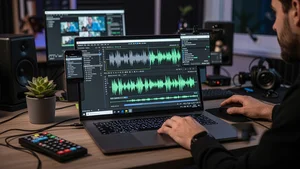
Slight EQ boost in mid frequencies makes voice clearer. Useful if your recording is muddy.
Compression evens out volume inconsistencies. Use it lightly.
Skip heavy reverb or echo effects. They sound amateur on short form content.
Skip vocal filters that make you sound like a robot unless that's specifically your brand.
Different Content Types Need Different Voices
Tutorial Reels: Clear, moderate pace, friendly instructor voice. Think helpful teacher not drill sergeant.
Entertainment Reels: High energy, expressive, exaggerated reactions. Performance matters here.
Behind the scenes: Casual, intimate, like texting a friend. Drop the polish.
Product showcases: Enthusiastic but not salesy. Genuine excitement beats hype.
The Subtitle Situation
Always add captions even with clear voiceover. 80% of Reels are watched with sound off initially.
Instagram's auto captions are decent now. Use them as a starting point, fix errors manually.
Captions make your content accessible. Not just for accessibility needs, for anyone in a quiet space who can't play audio.
Common Voiceover Mistakes
Starting with "Hi guys!" or "Welcome back!" wastes precious seconds. Get to the point immediately.
Explaining what viewers can already see. If you're showing it, don't narrate it. Add context instead.
Apologizing for your voice or audio quality. If it's truly bad, re-record. If it's fine, confidence matters more than perfection.
Talking too slow. Reels viewers have short attention spans. Respect their time.
When to Skip Voiceover
When trending audio is more important than your voice. Participating in audio trends requires using that specific sound.
When the visual speaks for itself. Some Reels are stronger with just music and text.
When you're repurposing content that already has embedded audio. Fighting with existing audio is messy.
Testing What Works for Your Audience
Post similar Reels with and without voiceover. Track which gets better engagement.
Try different voice styles. Casual vs professional. Fast vs moderate pace.
Your audience might prefer different approaches than general best practices suggest.
What I Actually Do
I record voiceover in my car before work. Surprisingly good acoustics, quiet, no interruptions.
I script the first and last sentence, improvise the middle.
I keep music volume at 20 to 30% during talking, 60 to 70% during gaps.
I re-record if I mess up instead of trying to edit around mistakes. Usually faster and sounds better.
Voiceover transformed my Reels engagement. But it took practice to sound natural instead of scripted.
Start with short Reels where voiceover is only 10 to 15 seconds. Build confidence before attempting longer narration.
And remember most people are scrolling on phones with mediocre speakers. Crystal clear professional audio is nice but authentic clear enough audio wins over perfect robotic audio every time.