
Pinterest SEO: Visual Search Discovery | Cliptics

Here's something that caught me completely off guard: 85% of Pinterest users say they use the platform specifically to plan purchases. Not just browse. Not just collect inspiration. They're actively shopping.
And the real kicker? Pinterest Lens processes over 600 million visual searches every single month. That's not people typing keywords. That's people pointing their cameras at products they see in real life and asking Pinterest to find similar items they can buy.
That number stopped me cold. Because most sellers I talk to are still optimizing for Google. They're perfecting their Amazon listings. They're running Instagram ads. But they're completely ignoring the platform where people are literally searching with their eyes to find products to purchase.
So let's fix that. Because Pinterest SEO in 2026 isn't about keywords anymore. It's about making your products discoverable through visual search.
The Pinterest Lens Reality Check
I'll be honest. When I first heard about Pinterest Lens, I thought it was just another gimmicky feature that nobody would actually use. I was wrong. Very wrong.
The data is wild. Pinterest says Lens users are 2.3 times more likely to make a purchase compared to regular Pinterest users. Think about what that means for a second. Someone who uses visual search isn't casually browsing. They've seen something they want, they're actively searching for it, and they're ready to buy.
This is purchase intent on steroids.
And the demographic is perfect if you're selling products. 60% of Pinterest's 450 million monthly users say they actively use the platform to discover new products and brands. They're not there for cat videos or political arguments. They're shopping.
But here's the problem most sellers face: their products aren't optimized for visual discovery. They're thinking in keywords when they should be thinking in colors, shapes, textures, and visual patterns.
How Pinterest Visual Search Actually Works
Let me walk you through what happens when someone uses Pinterest Lens, because understanding this changes everything about how you should optimize your product images.
Someone sees a lamp in a coffee shop. They like it. Instead of googling "brass mid century modern lamp" and hoping for the best, they open Pinterest, tap the camera icon, and point their phone at the lamp.
Pinterest's AI analyzes the image. Not just the overall object. It's looking at dozens of visual signals. The brass finish. The geometric shade shape. The tripod legs. The warm metallic tones. The mid century aesthetic. All of it gets processed in milliseconds.
Then Pinterest shows visually similar products. Not just lamps. Similar lamps. Same style. Similar color palette. Comparable aesthetic. And those results are shoppable. Buy buttons. Pricing. Direct links to product pages.
Now here's the critical question: is your product showing up in those results?
Because if your product images are poor quality, shot against messy backgrounds, with inconsistent lighting, or lacking visual clarity, Pinterest's AI can't properly categorize what you're selling. You're invisible to the exact customers who are ready to buy.
The Image Optimization Formula That Actually Works
I've tested this extensively with my own products and with clients I've advised. Here's what moves the needle.
First, resolution matters more than you think. Pinterest recommends minimum 1000 x 1500 pixels. But I've found sweet spot is actually 1200 x 1800 or higher. The platform compresses images during processing. Starting with higher resolution means your images stay sharp after compression.
But here's the mistake everyone makes: they upload massive 5MB files thinking bigger is better. It's not. File size needs optimization. Pinterest's algorithm favors fast loading images. I use image compression tools to get files down to 200-400KB without losing visible quality. Your products load faster. Pinterest's algorithm rewards that.
Aspect ratio is non-negotiable. Vertical images perform better because that's how Pinterest's feed works. The platform itself recommends 2:3 ratio. That's 1000 x 1500, or 1200 x 1800, or 2000 x 3000. Horizontal images get cropped. Square images waste valuable screen space. Vertical owns the feed.
Background matters enormously for visual search accuracy. Clean, simple backgrounds help Pinterest's AI identify your product correctly. White works. Subtle gradients work. Lifestyle settings can work if the product remains the clear focal point. But cluttered backgrounds confuse the algorithm. It can't distinguish between your product and the environment.
I learned this the hard way. I had beautiful lifestyle shots of kitchen products photographed in real kitchens. Looked amazing. Performed terribly in Lens search. Why? Too much visual noise. When I removed backgrounds and reshot against clean backdrops, visual search impressions jumped 340% in three weeks.
Lighting creates visual signals Pinterest's AI uses for categorization. Bright, even lighting communicates "product photography." It signals professional quality. It makes colors accurate, which matters for fashion and home decor especially.
Shadows can work, but they need to be intentional. Dramatic shadows can add depth. But inconsistent shadows from poor lighting make products look amateur. Pinterest's algorithm can detect image quality. It favors professional-looking images in search results.
The Pinterest SEO Checklist Nobody Talks About
Text optimization still matters, but not the way you think. Your pin description isn't primarily for humans. It's for Pinterest's algorithm to understand context around the visual content.
Start with the product name. Clear, specific, descriptive. "Brass Tripod Floor Lamp Mid Century Modern" beats "Beautiful Lamp" every single time. Pinterest needs those descriptive words to match visual analysis with search intent.
Include relevant attributes. Materials. Colors. Styles. Sizes. Features. Not as keyword stuffing. As natural descriptions that help Pinterest categorize your product accurately. "Handwoven cotton throw blanket in sage green, 50x60 inches, boho farmhouse decor" gives the algorithm multiple data points to work with.
Board names contribute to SEO too. I see people create boards called "Products" or "My Shop." Useless. Create category-specific boards with descriptive names. "Mid Century Modern Lighting" or "Boho Home Decor Textiles" or "Vintage Brass Accent Pieces." Pinterest uses board names as additional context for pin categorization.

Alt text is criminally underused. Most platforms treat alt text as an accessibility afterthought. Pinterest uses it as a ranking signal. Describe what's literally in the image. Not promotional copy. Factual description. "Brass tripod floor lamp with white geometric shade on light wood floor" is perfect alt text. It helps visually impaired users and gives Pinterest more context.
You can generate descriptive alt text automatically now, which saves hours if you're uploading dozens of product images.
The Dimension and Format Strategy
Here's something most guides get wrong. They tell you to make images 1000 x 1500 and call it done. But optimal dimensions depend on your product type.
For single product showcases, 2:3 ratio is king. 1200 x 1800 pixels. This works for jewelry, home decor items, clothing on hangers, beauty products. Anything where the product itself is the entire focus.
For lifestyle imagery where you're showing products in context, you can go slightly different. 1000 x 2100 works beautifully for tall vertical lifestyle shots. It still maintains vertical dominance but gives you room to show environment.
Infographics and tutorial content can go even taller. 1000 x 2500 or even 1000 x 3000. Pinterest loves educational content. Long vertical infographics that provide value while showcasing products perform incredibly well.
Format matters too. Save as JPG for photographs. PNG if you need transparency. But honestly, for most product photography, JPG at 85-90% quality is perfect. Smaller file size, virtually no visible quality loss, faster loading times.
Resizing images to exact Pinterest specifications before upload prevents the platform from doing its own resizing, which can degrade quality.
Visual Search Optimization Tactics
Let me share something that surprised me. Color dominance affects visual search results more than I ever imagined.
Pinterest's Lens can identify dominant colors in images. If someone searches for "blue living room decor," Pinterest shows products where blue is visually prominent. Not just products tagged with "blue." Products where blue actually dominates the image composition.
This means color accuracy in your product photography is critical. If you're selling a navy blue pillow, it needs to look navy blue in the photo. Not black. Not purple. Navy blue. Get the white balance right. Color correct in editing. Make the actual product color match what appears in the image.
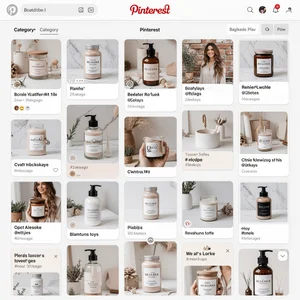
Pattern recognition works similarly. Pinterest can identify stripes, florals, geometric patterns, textures. If your product has a distinctive pattern, make sure it's clearly visible and well lit in your primary product image. That pattern becomes a visual search signal.
Multiple angles boost visual search performance. Don't just pin one product image. Create pins showing different angles, details, styling options. Each image gives Pinterest more visual data to work with. More data means better categorization means showing up in more relevant visual searches.
I run a simple test with every product. I upload the image to Pinterest, wait a few days for indexing, then use Lens to search for visually similar items. Do my own products show up? If not, there's an optimization problem.
The Listing and Rich Pin Advantage
Rich Pins are basically Pinterest's version of structured data. They pull extra information directly from your website and display it on the pin. For product pins, that includes pricing, availability, and where to buy.
Setting up Rich Pins requires adding meta tags to your website. It's technical but not complicated. Pinterest has validators to test if you've set it up correctly. And the payoff is huge.
Rich Pins get more engagement. They look more professional. They provide more information at a glance. But more importantly for visual search, they give Pinterest's algorithm additional structured data about your products.
When someone uses Lens to search for a product, Rich Pins with pricing and availability rank higher in results. Pinterest knows the person searching is ready to buy. Showing them products with clear pricing and purchase paths serves that intent better.
Verified merchant status adds another layer of trust and visibility. It's free for qualifying businesses. You just need to claim your website, add the meta tags, and apply. Verified merchants get special badging and algorithmic preference in shopping-related searches.
Content Strategy for Visual Discovery
Here's a mistake I see constantly: sellers create one pin per product and move on. That's leaving massive opportunity on the table.
Think about all the different ways someone might visually discover your product. Different contexts. Different use cases. Different styling approaches. Each deserves its own pin.
Let's say you sell throw blankets. You could create:
- Product shot against white background for clean visual search
- Draped over a couch for living room decor searches
- Folded in a basket for organization and storage searches
- Someone wrapped in it with coffee for cozy lifestyle searches
- Close up of texture for material and quality searches

Same product. Five completely different visual contexts. Each one shows up in different Lens searches based on what people are photographing and looking for.
Seasonal content multiplies visual search opportunities. That same throw blanket gets repinned in different contexts throughout the year. Fall cozy vibes. Winter warmth. Spring cleaning and refresh. Each season is a new visual search opportunity.
User-generated content is visual search gold. When customers post photos of your products in their own spaces, that creates authentic lifestyle imagery you couldn't stage yourself. Repin it. It performs incredibly well because it looks real. Because it is real.
The Analytics You Actually Need to Track
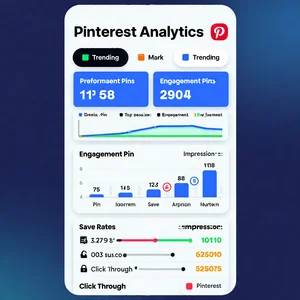
Pinterest Analytics can feel overwhelming. Lots of numbers. But for visual search optimization, focus on specific metrics.
Impressions from Lens searches. Pinterest breaks this out separately. This tells you directly how often your products appear in visual search results. If this number is low relative to your total impressions, you have a visual optimization problem.
Save rate matters more than likes or comments. When someone saves your pin to their own board, Pinterest interprets that as "this is valuable and relevant." High save rates signal quality to the algorithm. Your pins get shown more often in both text and visual searches.
Outbound clicks tell you if the visual discovery is actually driving traffic to your shop. You can have great visual search impressions but poor clicks if your images don't accurately represent the product or if your pricing isn't competitive.
Click-through rate from Lens searches specifically. This metric shows how effective your images are at converting visual interest into actual clicks. Low CTR from Lens means your images are showing up in searches but not compelling enough to click.
Pin performance over time reveals seasonality and trends. Some products will naturally have visual search spikes during specific times of year. Track those patterns. Optimize and promote those pins heavily right before their seasonal peak.
The Testing Framework That Works
I run continuous optimization tests because Pinterest's algorithm evolves and user behavior shifts. Here's the testing framework I use.
Create multiple pin variations for the same product. Different images, different descriptions, different boards. Pin them all. Track performance for at least two weeks. Pinterest needs time to index and distribute pins through the algorithm.
Test one variable at a time. Image background. Aspect ratio. Description length. Board category. If you change everything at once, you can't identify what actually improved performance.
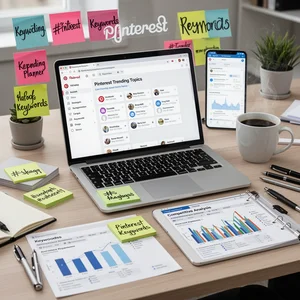
Use Pinterest's Trends tool to identify rising search terms related to your products. Create pins specifically optimized for those trending searches. Even if they're text searches initially, strong performance will boost your visual search visibility too.
Competitor analysis through Lens is incredibly revealing. Search for products similar to yours. See what pins rank highly. Analyze their images. What visual elements are they emphasizing? How are they styling products? What descriptions are they using? You're not copying. You're understanding what Pinterest's algorithm rewards in your product category.
A/B test descriptions with varying keyword density. Pinterest says don't keyword stuff. But there's a balance between natural writing and strategic optimization. Test different approaches. Let actual performance data guide your strategy.
Mobile Optimization Reality
This is critical and often ignored: 85% of Pinterest usage happens on mobile devices. Your visual search optimization has to work on small screens.
That means fine details that look great on desktop might be invisible on mobile. Product features need to be clear even in thumbnail size. Text overlays need to be readable on a 5 inch screen. Colors need to remain vibrant and distinguishable.
I test every pin on my phone before publishing. Does the product clearly stand out? Is it immediately obvious what's being sold? Would I click this if I saw it while scrolling during my commute?
Mobile users are also more likely to use Lens. They're out in the world, seeing products in stores or cafes or friends' homes, and instantly searching with their cameras. Your visual optimization is specifically targeting these mobile Lens users with immediate purchase intent.
You can use Pinterest's mobile-first editor features to ensure your images are optimized for how most users will actually see them.
The Common Mistakes Killing Your Visual Search
Let me save you the pain I went through learning these the hard way.
Stock photos that appear on multiple sites confuse Pinterest's algorithm. If your "product image" is actually a stock photo used by dozens of other sellers, Pinterest can't properly attribute it to your specific product. Use unique images. Your own photography. Even if it's iPhone quality, unique beats professional but generic.
Watermarks and logos can hurt visual search performance. I know the instinct is to protect your images. But prominent watermarks interfere with Pinterest's visual analysis. If you must watermark, keep it subtle and along an edge where it doesn't obscure product details.
Inconsistent visual branding across pins creates confusion. If your products appear in wildly different styles, lighting, and settings across different pins, Pinterest struggles to recognize they're all from the same seller. Some variation is good. Total inconsistency is bad.
Ignoring video pins is a massive missed opportunity. Pinterest now supports video, and Lens can analyze video frames for visual search. A 15-second product video showing different angles gives Pinterest more visual data than a single static image ever could.
Not claiming your website means you lose Rich Pin capabilities and verified merchant benefits. It's free. It takes 20 minutes to set up. There's no excuse not to do it.
What Actually Matters Going Forward
Pinterest visual search is only getting more sophisticated. The AI is improving. The user base is growing. More people are discovering products visually rather than through text search.
The sellers who win in this environment are the ones treating Pinterest as a visual search engine first and a social media platform second. That mindset shift changes everything about how you approach optimization.
Start with image quality. Invest in good product photography. Clean backgrounds. Proper lighting. Accurate colors. Clear details. The tools exist now to make this accessible even if you're not a professional photographer.
Build a consistent pinning strategy. Multiple pins per product. Seasonal variations. Lifestyle contexts. Educational content. The more high-quality visual content you create around your products, the more opportunities for visual discovery.
Track what matters. Lens search impressions. Save rates. Click-through rates from visual searches. Let data guide your optimization rather than assumptions.
And test continuously. What works today might not work in six months as the algorithm evolves. Stay curious. Stay experimental. Stay focused on visual optimization.
Because here's the truth: your potential customers are already using Pinterest Lens to discover products. The question isn't whether visual search matters. The question is whether your products will show up when they search.