
Resize and Crop GIFs for Instagram, TikTok & YouTube Shorts | Cliptics
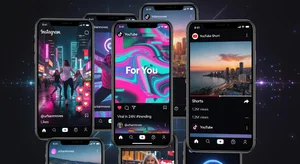
Different platforms want different video dimensions and it's honestly annoying. What works perfectly on YouTube looks terrible on TikTok. Your Instagram content doesn't fit YouTube Shorts properly. Instead of creating separate source material for each platform, you can crop and resize existing GIFs to fit wherever you need them.
Understanding platform specs and how to adapt your content saves massive amounts of time. You create once and optimize for everywhere rather than starting from scratch for each platform.
Platform Size Requirements
Instagram feed posts work best at 1080x1080 square. Stories and Reels want 1080x1920 vertical. You're working with two completely different aspect ratios for the same platform. Your content strategy needs to account for both.
TikTok is standardized at 1080x1920 vertical, same as Instagram Stories. At least there's some consistency there. Content optimized for TikTok works on IG Stories and vice versa without changes.
YouTube Shorts technically supports multiple aspect ratios but really wants 1080x1920 vertical. The interface is designed around vertical video. Other ratios get letterboxed or look awkward in the feed.
Twitter accepts basically anything but engagement seems better on content that fills the frame. Square and vertical both perform well. Landscape gets relegated to a smaller preview in feeds.
Vertical Format Considerations
Vertical video dominates mobile consumption. People hold their phones vertically. Content that fills that vertical screen naturally gets more attention and looks more native to the platform.
Cropping landscape to vertical means choosing what matters. You're losing the sides. Center framing becomes critical. Make sure your subject or action stays in the vertical frame after cropping.
Resizing might seem easier than cropping, but putting a landscape video in a vertical frame creates huge black bars. This wastes screen real estate and looks unprofessional. Crop to fill the frame instead.
Vertical composition requires different thinking than landscape. Tall subjects, vertical movement, layered depth. What looks good horizontally often doesn't translate directly to vertical format without intentional reframing.
Square Format Strategy
Square works everywhere. It's neutral. Instagram feed, Facebook, Twitter all handle square content well. If you can only optimize for one aspect ratio, square is the safest choice.
Cropping to square from landscape loses less content than cropping to vertical. You're removing less area. Center composition matters but you're not sacrificing as much framing.
Square GIFs feel more balanced and contained. They work well for product shots, flat lays, centered compositions. Less suited for wide landscapes or tall verticals where the composition demands the full aspect ratio.
File Size Limits by Platform
Instagram has a 8MB limit for feed posts. Reels and Stories handle larger files but still have caps. Your GIF needs to compress enough to fit while maintaining quality.
TikTok allows up to 287MB technically, but smaller files upload faster and process better. Aim for under 100MB for best results. Overly large files can timeout during upload or get rejected.
Twitter limits GIFs to 15MB on web, 5MB on mobile. That's tight. You need aggressive compression or shorter animations. File size becomes a serious constraint on Twitter.
YouTube Shorts accepts large files but longer upload times mean more chance for interruption or failure. Keep files reasonable even when limits are generous.
Crop or Resize Decision Making
Landscape GIF going to vertical platforms needs cropping. You can't resize a 16:9 video to 9:16 without severe distortion or letterboxing. Crop to the vertical section that matters most.
Square to vertical can resize with some cropping. Scale up to fill the vertical frame, which leaves some overhang top and bottom. Crop that excess. This maintains most of your composition.
Any format to square usually means cropping from landscape or top/bottom from vertical. True square source material is rare. Choose your crop area based on where the important elements are.
Maintaining Quality Across Formats
Start with the highest quality source you have. You're going to crop and resize, which means losing some information. Starting with more detail means better results after processing.
Resize after cropping when possible. Crop to your ideal composition first, then resize to exact platform dimensions. This gives you maximum control over both composition and final technical specs.
Avoid multiple generations of compression. If you're creating several platform versions, work from your original source for each. Don't create one version then create others from that. Generation loss adds up.
Batch Processing Multiple Platforms
Create all your platform versions at once. This ensures consistency and saves time. Export Instagram square, Instagram vertical, TikTok, YouTube Shorts, and Twitter versions from the same source in one session.
Naming conventions help organization. originalname_instagram_square.gif, originalname_tiktok_vertical.gif, etc. You'll thank yourself later when managing libraries of content.
Template crop coordinates save time if you're regularly processing similar content. Preset your crop areas for each platform format. Apply those presets to new content instead of manually selecting every time.
Mobile Preview Testing
What looks good on your desktop might not work on mobile. Test your cropped and resized GIFs on actual phones. Screen size, brightness, and viewing context all affect perception.
Instagram and TikTok are almost exclusively mobile platforms. Your content will be viewed on phones. Design and optimize for that reality. Desktop preview is useful but not definitive.
Different phone sizes handle content differently. Larger phones show more detail. Smaller phones might make text or small elements illegible. Try to optimize for the most common screen sizes in your audience.
Text and Graphics Placement
Safe zones matter when cropping for different platforms. Text or graphics too close to edges might get cut off depending on interface elements or how platforms crop preview thumbnails.
Center important elements. This gives you the most flexibility when adapting to different aspect ratios. Edge positioned elements are likely to get lost when reframing.
Text size needs adjustment for vertical formats. What's readable in landscape might be too small when cropped to vertical. Scale up text or reposition for better legibility.
Engagement Optimization
Native aspect ratios perform better. Content that fills the screen looks professional and gets more engagement. Letterboxed or poorly sized GIFs feel amateur and get scrolled past.
Platform algorithms might favor properly formatted content. This isn't confirmed for all platforms but makes logical sense. Content that displays well serves user experience better.
Viewer psychology responds to full screen content. It feels more immersive and intentional. Seeing black bars or awkward cropping creates subconscious negative impressions.
Workflow Efficiency
Dedicated tools for social media optimization help. Rather than manually calculating dimensions and crop areas, use tools designed for this. Cliptics crop tool handles common social media formats easily.
Presets for each platform eliminate guesswork. You don't need to remember Instagram wants 1080x1920 for Stories. Select Instagram Stories preset and the tool handles dimensions automatically.
Preview before exporting ensures you're happy with crop and resize choices. Seeing exactly what will post prevents surprises and redo work.
Common Mistakes to Avoid
Stretching or distorting to fit dimensions looks terrible. Maintain aspect ratios. If you need different dimensions, crop and resize properly. Never just squash your content to fit.
Ignoring platform specs means your content gets automatically cropped or resized by the platform, usually badly. Take control of this yourself instead of leaving it to automated systems.
Using the same version everywhere wastes the opportunity to optimize. Content that works okay on all platforms probably doesn't work great on any of them. Platform specific optimization improves results.
Testing and Iteration
Post test versions to see how they actually appear. Draft posts or stories let you preview before going live. Catch sizing issues before your audience sees them.
Analytics show which formats perform best. Track engagement by platform and format. Your Instagram square posts might underperform vertical Reels. Let data guide your format decisions.
Audience feedback provides insights too. Comments about hard to read text or cut off elements tell you your cropping needs adjustment.
Planning Content for Multi Platform
Shoot or create with multiple formats in mind. If you know you'll need vertical, square, and landscape versions, plan composition that works across all three. Center key elements, avoid relying on edges.
Sometimes creating platform specific content makes more sense than trying to adapt one piece everywhere. If your concept demands wide landscape framing, it might not translate to vertical. Create different content rather than forcing it.
Final Thoughts
Adapting GIFs for different social platforms through smart cropping and resizing expands your content's reach. The same creative work gets optimized for Instagram, TikTok, YouTube Shorts, and more without starting from scratch each time.
Understanding platform requirements, using the right tools, and testing your results ensures your content looks professional everywhere you post it. It's technical work but pays off in better engagement and less wasted effort creating redundant content.