
Transform Product Photos to Video Ads: AI Image to Video | Cliptics
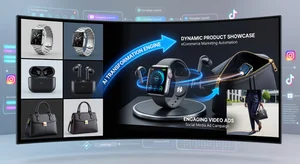
Video ads consistently outperform static image ads across every major social media platform. TikTok ads with video generate 3x more conversions than image ads. Instagram Reels ads receive 2x more reach than static feed posts. YouTube Shorts ads reach audiences that skip or ignore banner advertising.
The problem for most small businesses and ecommerce sellers has always been video production costs. Professional product video shoots start at $500 and quickly climb to several thousand dollars. Hiring a videographer, renting studio space, setting up product displays, editing the footage, adding music and text overlays: the production chain is long and expensive.
AI image-to-video technology has dramatically compressed this process. You can now take your existing product photography and generate professional video ads in minutes.
Why Product Video Ads Work
The psychological explanation for video outperformance is rooted in attention and engagement. Static images communicate a single moment. Video communicates sequence, motion, and experience.
When a potential customer watches a product in motion, they engage multiple cognitive systems simultaneously. They process movement, which triggers attention responses that are evolutionarily ancient and automatic. They see the product from multiple angles without requiring active effort. They experience context and use-case scenarios that static photography can only suggest.
For ecommerce specifically, video reduces purchase uncertainty. Customers who have seen a product moving, rotating, or being used in context have more information to make a confident buying decision. This is why platforms like Amazon, Shopify, and Etsy all report higher conversion rates for product listings that include video.
The AI Image-to-Video Workflow
Cliptics AI Image to Video Generator takes your static product photos and generates video content that includes motion, zoom effects, and visual dynamics.
The basic workflow:
Step 1: Prepare your product photos
Use your best product photos as input. Clean white backgrounds work well for product-focused videos. Lifestyle images (showing products in use) work well for more narrative ad styles. Higher resolution inputs produce better video outputs.
Step 2: Choose your video style
Different ad contexts benefit from different motion styles. Slow zoom in is a classic product reveal. Pan across works well for products with interesting side views or details. Parallax effect creates depth by moving foreground and background at different speeds. Ken Burns effect adds smooth motion to a single flat image.
Step 3: Generate with AI
Cliptics AI Product Photo to Video specializes in product-focused conversions with appropriate motion styles for ecommerce.
Step 4: Add text overlays and branding
Generated video is a starting point. Add your product name, price, and call to action as text overlays. Include your brand logo. Add a subtle background music track (use royalty-free music from sources like Pixabay or YouTube Audio Library).
Step 5: Export for platform
Different platforms have different format requirements:
- TikTok: 9:16 vertical, 1080 x 1920, MP4, maximum 500MB
- Instagram Reels: 9:16 vertical, 1080 x 1920, MP4, 15 to 90 seconds
- YouTube Shorts: 9:16 vertical, 1080 x 1920, MP4, maximum 60 seconds
- Instagram Feed: 1:1 square or 4:5 portrait works best
- Facebook Feed: 16:9 horizontal or 1:1 square
Creating Ads with the Cliptics AI Video Ad Generator
For ads specifically (as opposed to organic video content), the Cliptics AI Video Ad Generator is optimized for the commercial intent and structure of advertising content.
Effective video ads follow a proven structure:
First 2-3 seconds: The hook. This must stop the scroll. Use your most visually striking image, a bold motion effect, or an immediately intriguing frame. Viewers decide whether to keep watching within the first 3 seconds.
Seconds 4-12: The demonstration. Show the product in action, from multiple angles, or in context. This is where you establish value.
Seconds 13-20: Social proof and features. Brief text overlays highlighting key benefits, customer review highlights, or feature callouts.
Final 3-5 seconds: The call to action. Clear, direct. "Shop Now." "50% Off Today." "Free Shipping on Orders Over $35."
Platform-Specific Strategies
TikTok Product Ads: TikTok's algorithm rewards native-feeling content. Highly polished, clearly commercial ads can underperform compared to videos that feel authentic and spontaneous. Add a slight grain or vignette effect to your generated video to make it feel less artificially perfect. Start with motion and sound from the very first frame.
Instagram Shopping Ads: Instagram's shopping features allow direct product tagging in video. Create product showcase videos that clearly show the item and make it easy to identify as shoppable. Lifestyle context works particularly well here.
YouTube Shorts Ads: YouTube Shorts viewers have slightly higher tolerance for more explicitly promotional content. Product demonstrations showing before/after, unboxing concepts, or feature comparisons perform well.
Scaling Your Video Ad Production
The efficiency of AI image-to-video becomes most valuable when you scale the workflow.
If you have 50 products in your catalog, generating individual professional video ads for each would be prohibitively expensive through traditional production. With AI conversion, you can systematically process your product catalog: upload optimized product photos, generate video versions, add brand-consistent text overlays using a template, and export for platform.
Create a simple template system: consistent intro, consistent outro, consistent font and color choices for text overlays. Apply this template to each generated video to maintain brand cohesion across your entire ad library.
Set up A/B tests early. Generate two or three variations of videos for the same product using different motion styles. Run them simultaneously with a small budget and identify which variation drives better results before scaling spend.
The barrier to professional video advertising has collapsed. Your product photos are already halfway to a video ad. The AI handles the rest.
Start with your three best-selling products and generate video versions today. Measure the performance against your current static ads. The data will tell you whether to scale the process across your catalog, and for most products in most markets, the answer will be yes.