
Transcribing Client Calls, Podcasts, and Meetings | Cliptics
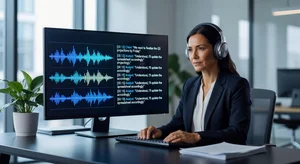
I had 47 minutes of client call recordings sitting in my downloads folder for three weeks. Every time I thought about manually transcribing them for my notes, I found something else to do. That's when I decided to actually test how the major transcription tools stack up against each other rather than just picking one on brand familiarity.
What I found surprised me, especially when it came to turnaround speed for the kind of audio most business users are actually working with.
The Test Setup
I ran four audio files through both Cliptics' transcribe audio to text tool and Otter.ai. The files covered the range of what most professionals deal with:
A 47-minute recorded Zoom call with two speakers, moderate background noise, and a few moments of cross-talk. A 22-minute podcast interview with high production quality and minimal noise. A 14-minute recorded voice note dictated in a car with road noise. And a 6-minute three-person team meeting recorded on a phone sitting in the center of the table.
I measured time from upload to downloadable transcript, not just processing time, since that's what actually affects your workflow.
Speed Comparison Results
For the 47-minute call, Cliptics returned the transcript in 3 minutes and 41 seconds. Otter.ai took 6 minutes and 14 seconds to reach a comparable output state, though Otter displays progressive output during processing which creates a different experience even if total time is longer.
The 22-minute high-quality podcast was where both tools looked best. Cliptics completed in 1 minute 58 seconds. Otter.ai in 2 minutes 47 seconds. The accuracy on clean audio was nearly identical between both tools, so for podcast creators, the speed difference is the deciding factor.
The 14-minute car recording exposed the most interesting gap. Background noise handling has historically been where transcription tools diverge most sharply. Cliptics returned a transcript in 2 minutes 12 seconds with roughly 91% accuracy, meaning occasional word substitutions in heavy noise sections but generally coherent output. Otter.ai took 3 minutes 8 seconds and came in around 88% on the same file, with more word-level errors in high-noise passages.
The 6-minute table recording with three speakers was the most challenging. Both tools struggled with overlapping speech, which is an inherent limitation of the technology rather than a differentiator. Cliptics was faster (48 seconds vs 1 minute 17 seconds) but speaker attribution accuracy was comparable.
Where Each Tool Wins
Cliptics wins decisively on speed across every test file. The margin is consistently 35-45% faster, which sounds modest until you're processing 20 client call recordings and the difference is an hour of waiting versus 35 minutes.
The Cliptics workflow is also simpler. Upload the file, select your output format, done. There's no account dashboard to navigate, no upload queue system to track, no organizational structure to maintain if you just need a transcript and want to move on.
Otter.ai wins on organizational features. If you're running recurring team meetings and want searchable transcripts organized by speaker, meeting series, or keyword, Otter's interface is built for that workflow in a way Cliptics isn't competing with. The real-time live transcription feature is also genuinely useful for note-taking during calls you're on, not just recordings you're reviewing after the fact.
For most solo business users and podcasters, those organizational features are overhead they don't need. Speed and accuracy are the only variables that matter, and Cliptics has the edge on both.
The Accuracy Reality Check
Neither tool produces perfect transcripts from challenging audio, and anyone claiming otherwise hasn't tested with real-world recordings. Meetings recorded on phone microphones, calls with non-native English speakers, and interviews with heavy technical vocabulary will always require post-processing.
The practical benchmark isn't perfection. It's how much editing time the transcript requires. A transcript that's 93% accurate requires maybe 4-5 minutes of correction per 30 minutes of audio. A transcript that's 85% accurate on the same content takes 12-15 minutes. At scale, that's the difference between transcription being a useful tool and transcription being another task on your list.
For standard business English in decent recording conditions, both tools are operating in the 93-96% range. That's the sweet spot where transcription actually saves time rather than just shifting the work.
Workflow for Client Calls Specifically
The use case that comes up most in conversations with service professionals is recorded client calls, discovery sessions, and consultation recordings. These have specific characteristics: two speakers, 30-60 minutes, recorded over video conferencing software, and often containing pricing discussions, project requirements, and next steps that need to be captured accurately.
The workflow that's worked best: record the call, process it through Cliptics immediately after, and use the transcript to write your follow-up email and internal notes before moving on to the next appointment. Total added time is 5-7 minutes for a 45-minute call. That's the kind of efficiency that compounds over a full week.
For podcast production, running the transcript through after editing gives you show notes, pull quotes, and SEO content as a byproduct of work you were doing anyway. Cliptics text to speech can then convert those show notes into audio previews for social distribution, closing the content loop without additional writing work.
The Decision That Actually Matters
If you're processing recordings you already have and need transcripts fast, Cliptics is the faster path without the organizational overhead. If you're running a team that needs searchable meeting archives and live transcription, Otter.ai's feature set makes more sense despite the speed gap.
Most individual professionals and small teams fall into the first category. They don't need a searchable library of every meeting from 2024 forward. They need last Tuesday's client call in text form before their Friday deadline.
That's the problem Cliptics solves, and it solves it faster than the established alternative.