
The vCard QR Code Revolution: Replace Paper Business Cards | Cliptics
I ran out of business cards at a conference in Austin last spring. At a 900-person event, on day two, with three more hours of networking scheduled. I borrowed a Sharpie from the registration desk and wrote my email on the back of someone else's card. It worked, technically, but it's not exactly the impression you want to make when you're trying to build professional relationships.
That was the last time I went to a conference without a vCard QR code set up. The shift has been genuinely better in every measurable way.
What a vCard QR Code Actually Does
A vCard QR code encodes your contact information in a format that phones can parse directly into a new contact entry. When someone scans it, their phone's camera app recognizes it and offers to save your details without any typing required.
The information a vCard can carry goes well beyond a traditional business card: name, company, job title, multiple phone numbers (mobile, direct, office), email addresses, website URL, LinkedIn profile, physical address, and a note field. All of it transfers in a single scan.
This is functionally superior to exchanging cards. No mistyped phone numbers. No email addresses that get smudged when the ink isn't dry. No card that ends up in the bottom of a bag with six others from the same event, undifferentiated and forgotten.
Setting Up Your vCard QR Code in Cliptics
The Cliptics vCard QR code generator handles the technical format correctly, which matters more than it sounds. vCard formatting has specific standards that determine whether a contact saves correctly on iOS versus Android. Tools that don't set up the spec properly result in contacts that import partially, or not at all.
Open the generator and fill in your contact fields. Start with the essentials: full name exactly as you want it to appear saved in someone's contacts, your primary business email, and your direct phone number. These three fields are what people actually use to follow up.
Add your LinkedIn URL and company website. In professional networking contexts, LinkedIn often matters more than phone number for initial follow-up, especially across international connections where time zones complicate calls.
In the note field, add your professional tagline or what you do in one sentence. This is the field people see when they're reviewing new contacts a week after the event and trying to remember who's who. "Helps SaaS companies reduce churn through customer success programs" is more useful than just "Customer Success Manager."
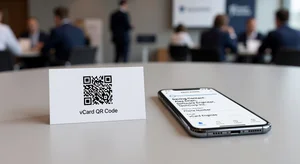
Download the QR code as a PNG and save it to your phone's photo library and screen. Set it as your lock screen for conference days, which means you can show it without unlocking your phone.
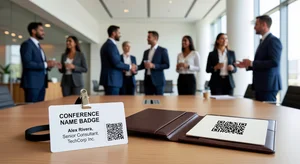
Also generate a high-resolution version through the Cliptics QR code maker for print materials. If you use a badge holder or notebook, printing a business-card-sized version to slip into your badge or tape to your notebook creates a physical fallback without the paper card problem.
Networking Strategies That Make It Work
The QR code is the technology. The strategy is how you introduce it.
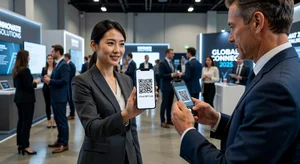
The natural moment to share contact information is when a conversation reaches its natural conclusion and both parties want to follow up. At that moment, instead of reaching for a card, say: "Let me share my contact, it's easiest if I just show you this." Pull up the QR code on your phone and hold it facing them. Most people understand immediately and have their camera up in seconds.
For those who look uncertain, adding "just open your camera app and point it at this" is usually enough. The comfort level with QR codes has increased significantly in the last two years, and hesitation is now the exception rather than the rule.
What this exchange accomplishes beyond contact sharing: you're demonstrating that you use current tools, you're showing your phone's lock screen briefly which creates a small visual anchor, and the interaction is more memorable than the card-exchange routine that everyone does identically.
For volume networking situations like expo halls, speed matters. The QR code scan takes about 4 seconds from phone-up to contact saved. Card exchange takes 6-8 seconds and requires the other person to do something with the card later. These numbers seem trivial but they compound across a full conference day.
The Follow-Up Advantage
Here's the part that doesn't get talked about enough: the QR code follow-up is easier than the business card follow-up, for you and for them.
When someone scans your vCard, your contact goes directly into their phone. Not into a pile. Not into a bag. Into the contacts app, searchable by name, company, or any field they remember. When they want to follow up, they find you in 10 seconds instead of rifling through 40 cards.
Your follow-up to them is also cleaner. Because they've saved your contact, your name and number appear when you text them. You're not an unknown number asking them to remember who you are.
For conference-heavy industries, this compound advantage adds up. Over a year of events, the contacts you've built through QR code exchanges are materially easier to maintain than contacts from business cards, because the digital entry point reduces the friction in every subsequent interaction.
What to Have Ready Besides the QR Code
The vCard QR code handles contact exchange. There's still a preparation layer that makes conference networking productive rather than just busy.
Have your conversation opener ready. Not an elevator pitch, which sounds like a pitch and puts people on guard, but a genuine question about what someone is working on that you're actually curious about.
Know what you're specifically looking for from the event: clients, partnerships, hires, information. Vague networking produces vague results. Focused networking with a QR code for frictionless follow-through produces specific relationships.
And know your closing line for conversations you want to continue. "I'd like to pick this up properly over a call" followed immediately by showing the QR code creates a natural, professional ending that both parties feel good about.
The Business Case for Going Cardless
Beyond the networking experience, there's a simple operational argument for eliminating paper cards.
A print run of 500 business cards costs $40-120 depending on quality, takes a few days, and is obsolete the moment your email, number, phone number, or title changes. Your vCard QR code updates instantly when you regenerate it, and distribution is unlimited.
At a conference where you exchange 60 cards, each card costs you 7-20 cents. Each QR code exchange costs you nothing and stores perfectly in your phone for reuse. The math is straightforward.
The paper card isn't dying because of sentimentality or tradition. It's dying because the replacement is objectively better: faster, cheaper, more accurate, and more memorable. The professionals who switched earliest aren't looking back.
Your next conference is the practical test. Set up the vCard, practice the exchange with a colleague once, and see how it changes the texture of networking conversations. The tool is simple enough that the first time feels natural. By the end of day one, you won't miss the cards.