
Veo 3 vs Sora vs Kling AI: Complete Video Generator | Cliptics
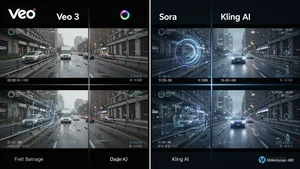
I spent the last three weeks testing every major AI video generator I could get my hands on. Not just clicking through demos. Actually using them. Creating real projects. Pushing them to see where they break.
The big question everyone keeps asking: which one is actually better? Veo 3, Sora, or Kling AI?
After generating over 200 test videos and burning through my entire monthly budget, I've got some answers. Some of them surprised me. Some confirmed what I suspected. But none of them are as simple as "use this one."
Let me walk you through what I found.
What I Actually Tested
Before we dive in, here's what mattered in my testing. Not theoretical benchmarks. Real world stuff that affects whether you can actually use these tools.
Video quality at different resolutions. How well they handle motion. Whether the physics look believable. How long it takes to generate. Cost per video. And most importantly, how often they just fail completely.
I tested the same 15 prompts across all three platforms. Simple shots. Complex scenes. Camera movements. Different lighting conditions. Action sequences. Everything a real project might need.
The results weren't what I expected.
Veo 3: The Technical Powerhouse
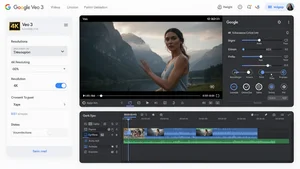
Google's Veo 3 is legitimately impressive from a technical standpoint. The resolution goes up to 4K. The physics engine handles complex interactions better than anything else I tested. When it works, it produces videos that look shockingly real.
I gave it this prompt: "A coffee cup sliding across a wooden table, tipping over the edge, falling in slow motion with liquid splashing out." Veo 3 nailed it. The liquid dynamics looked right. The lighting reflected properly. The motion was smooth and believable.
But here's the catch. Getting that result took seven attempts. The first three tries gave me coffee cups that morphed into weird shapes mid fall. The fourth had gravity working backwards. The fifth and sixth were close but had obvious glitches.
That's the Veo 3 pattern I kept seeing. When it hits, it absolutely hits. But the consistency isn't there yet. You need to generate multiple versions and hope one works perfectly.
The other issue is speed. A 5 second clip at 1080p took anywhere from 8 to 15 minutes to generate. That's manageable for final renders, but it makes iterating painfully slow.
Cost wise, Veo 3 runs on a credit system through Google's AI Studio. You get some free credits to start, then it's pay as you go. A typical 5 second video at 1080p costs about $0.50 to $1.00 depending on complexity. Not terrible, but it adds up fast when you're making multiple attempts.
Sora: The Creative Wildcard
OpenAI's Sora took a completely different approach, and honestly, it threw me off at first.
Where Veo 3 tries to be technically perfect, Sora leans into creative interpretation. Give it a straightforward prompt and it might add unexpected elements. Ask for a city street and you might get rain you didn't mention. Request a person walking and the lighting might shift dramatically mid scene.
Initially, I thought this was a bug. Then I started working with it instead of against it.
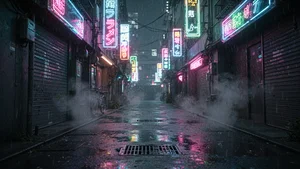
Sora excels at atmospheric, mood driven content. I prompted it with "A lonely figure walking through a neon lit Tokyo alley at night" and the result had this incredible cinematic quality. The neon reflections, the way the steam rose from grates, the subtle color grading. None of that was in my prompt, but it all worked.
The technical specs are solid. Up to 1080p resolution. Smoother frame rates than Veo 3. Generation time averages 5 to 8 minutes for similar length clips. The physics aren't as precise, but they're good enough for most use cases.
Where Sora struggles is with precise control. If you need exact specifications met, it's frustrating. I spent an entire afternoon trying to get a specific camera angle and kept getting variations that were close but not quite right.
The pricing model is subscription based. ChatGPT Plus subscribers get access, which is $20 per month. You get a certain number of generations included, then additional videos cost extra. For regular users, this actually works out cheaper than pay per video if you're creating a lot of content.
Kling AI: The Practical Workhorse
Kling AI isn't as flashy as the other two. It doesn't hit the same technical peaks. But after three weeks of testing, it's the one I kept coming back to.
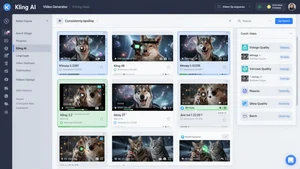
The big advantage is consistency. I'd estimate Kling AI produces usable results on the first or second try about 70% of the time. Veo 3 was closer to 30%. Sora was around 45%. When you're working on actual projects with deadlines, that reliability matters more than occasional brilliance.
The quality ceiling is lower. Maximum resolution is 1080p. The physics are decent but not exceptional. Complex scenes sometimes look a bit soft or lack fine detail. But the quality floor is higher too. I rarely got completely unusable results.
Generation speed is where Kling AI really shines. Most videos finished in 3 to 5 minutes. That faster turnaround makes iteration practical. You can test ideas, refine prompts, and actually explore creative directions without burning hours waiting.
Pricing is credit based but more generous than Veo 3. New users get a solid batch of free credits. After that, costs average $0.30 to $0.60 per 5 second clip at 1080p. The interface is straightforward, which sounds boring but saves real time when you're in production mode.
The Motion Handling Test
Motion is where AI video generators usually fall apart. I created a specific test: "Skateboard trick, kickflip closeup, skater's foot and board in sharp focus."
Veo 3 produced the most realistic result when it worked. The board rotation looked right. The physics checked out. But it took nine attempts to get a clean version. Earlier tries had the board warping or the motion stuttering.
Sora gave me something more stylized. The motion was smooth but not perfectly accurate to real skateboarding physics. It looked cool though. Very music video aesthetic. If you were making content where style mattered more than precision, this version actually worked better.
Kling AI landed in the middle. The physics weren't perfect, but they were believable. The motion was smooth enough. It generated a usable result on the third try. For most practical purposes, good enough beats perfect but unreliable.

What About Long Form Content?
None of these tools are ready for long form content yet. Not really.
The maximum duration varies. Veo 3 goes up to 60 seconds. Sora caps at 20 seconds for most users. Kling AI maxes out at 10 seconds. But here's the thing: longer doesn't always mean better.
I tried generating a 30 second clip with Veo 3. The first 10 seconds looked great. Then visual drift started happening. Small inconsistencies that accumulated. By the 20 second mark, lighting had shifted noticeably. By 30 seconds, the scene felt disconnected from where it started.
The practical approach right now is generating shorter clips and editing them together. That workflow actually gives you more control anyway. You can prompt different moments, pick the best versions, and cut them together into longer sequences.

The Real Cost Breakdown
After tracking every generation over three weeks, here's what I actually spent.
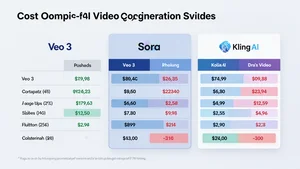
With Veo 3, I generated about 150 videos. Total cost was roughly $180. But remember, that includes all the failed attempts. The usable video count was closer to 45. So the real cost per usable video was around $4.
Sora was subscription based, so I paid $20 for the month. I hit the included generation limit and paid another $15 for additional credits. That gave me about 120 videos total, with maybe 80 being usable quality. Effective cost per usable video was about $0.44.
Kling AI cost me $95 for credits. I generated about 180 videos, with roughly 125 being usable on first or second attempt. That works out to about $0.76 per usable video.
The math changes based on your success rate and what you consider usable. But those are real numbers from actual production work.
Which One Should You Actually Use?
Here's my honest take after all this testing.
If you're doing high end commercial work where technical perfection matters and you have time for multiple iterations, Veo 3 is worth the hassle. The quality ceiling is highest. Just budget for the extra time and failed attempts.
If you're creating content where mood and atmosphere matter more than technical precision, Sora's creative interpretation becomes an advantage. Music videos, abstract concepts, stylized content. That's where Sora shines.
If you're producing regular content, working with clients, or need reliable turnaround, Kling AI is the practical choice. It's not going to blow anyone away with technical wizardry, but it'll consistently deliver usable results without eating your entire day.
What I'm Watching For
The gap between these tools is shrinking fast. Three months ago, Veo 3 had a much bigger technical lead. Now Kling AI has closed that gap considerably. Sora keeps adding features that make it more controllable while keeping its creative edge.
What I want to see next is better consistency across the board. The failure rate on all three platforms is still too high for serious production work. We need the floor to come up, not just the ceiling.
I'm also watching the pricing models. As competition increases, I expect costs to drop. The current pricing is manageable for professionals but still steep for casual creators or small teams.
The Bottom Line
There isn't a clear winner because the question itself is wrong. These tools solve different problems.
Veo 3 is for when you need technical excellence and have the time to iterate. Sora is for when creative vision matters more than precise specifications. Kling AI is for when you need reliable, consistent results on a reasonable timeline.
I'm currently using all three. Veo 3 for hero shots that need to be perfect. Sora for anything atmospheric or stylized. Kling AI for everything else, which is honestly most of my work.
The real breakthrough isn't any single tool. It's that we now have multiple viable options, each with different strengths. That competition is pushing all of them to improve faster.
And based on what I'm seeing, we're maybe six months away from at least one of these tools becoming genuinely reliable for mainstream production work. That's the shift I'm watching for. Not which one is best now, but which one crosses that reliability threshold first.
Because once that happens, video production changes completely. And we're closer to that moment than most people realize.