
YouTube Hashtags for Shorts: Maximizing Discoverability | Cliptics
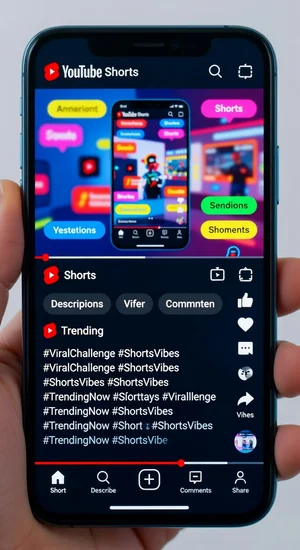
YouTube Shorts changed how I think about hashtags completely.
I used to dump the same YouTube tags I'd use on regular videos onto my Shorts. Waste of time. Shorts play by different rules and most creators are still figuring that out.
The algorithm doesn't care about your hashtags the same way it does for long form content. But that doesn't mean tags are useless. You just have to know what they're actually doing.
What Hashtags Actually Do for Shorts
Here's the thing YouTube won't tell you directly. Hashtags on Shorts aren't primarily for discovery anymore. They're for context.
The algorithm is already analyzing your video content, reading your title, checking your description. Hashtags give it extra signals about what category your Short belongs in and who might want to see it.
Think of it like this. Your Short is getting sorted into recommendation buckets. Hashtags help the algorithm pick which buckets to test it in first.
When I tested this with identical content using different hashtag sets, the videos showed up in completely different parts of the Shorts feed. Same content, different audiences, all because of the hashtag signals.
The Shorts Hashtag Limits You Need to Know
YouTube caps you at 15 hashtags in the description. But just because you can use 15 doesn't mean you should.
I've found three to five hashtags is the sweet spot. More than that and you're diluting your message. The algorithm gets confused about what your Short is actually about.
One test that surprised me: I posted the same Short with 15 hashtags versus three hashtags. The three hashtag version got way more initial impressions. YouTube seemed more confident about where to place it.
Less really is more here. Pick your best signals and stick with them.
Which Tags Actually Matter
The Shorts hashtag is obvious but people debate if it helps. My testing says yes, include it. Not because it's magic, but because it immediately signals this is Short form content.
Your main topic hashtag is critical. If you're doing a cooking Short, use cooking or recipe or baking. Direct and clear.
Then add one or two niche tags that describe your specific angle. Not just cooking, but quickmeals or budgetrecipes or whatever makes your Short unique.
The YouTube hashtag generator helps find these niche combinations without spending an hour researching.
Hashtags in the Title vs Description
Here's where Shorts get weird. Hashtags in your title become clickable and show up prominently. Hashtags in the description work behind the scenes.
I use one hashtag in the title if it fits naturally. Usually just Shorts. Then I put the rest in the description where they won't clutter the viewing experience.
People sometimes pack their titles with three or four hashtags. It looks spammy and viewers scroll right past. Keep the title clean and watchable.
The Trending Tags Trap
Jumping on trending hashtags for Shorts rarely works the way you'd hope. The Shorts feed moves too fast.
By the time you notice something trending and make a Short about it, the algorithm has already moved on. Your video with the trending tag just gets buried in thousands of others using the same tag.
Better to focus on evergreen hashtags in your niche. Stuff that consistently gets searched and recommended regardless of what's trending today.
I learned this after wasting two weeks chasing trends. Ev
ergreen niche content outperformed trending content every single time for my channel.
Location and Language Tags
If your Short has local relevance, location hashtags actually help. Not huge generic ones like USA or London. Specific ones like your neighborhood name or local landmark.
Language hashtags work if you're creating content in multiple languages or for specific language communities. The algorithm uses these to match content to viewer preferences.
I've had Shorts take off in unexpected regions purely because I added a relevant location tag that matched local interest.
What To Avoid Completely
Don't use banned or restricted hashtags even if they seem relevant. Check them first. One bad hashtag can tank your entire Short's reach.
Skip the really generic broad tags like video or content or funny. They're too vague to help and might actually hurt by confusing the algorithm about what your Short is actually showing.
Avoid stuffing variations of the same tag. Like using shorts, short, shortvideo, shortvideos all at once. Pick one and move on. The algorithm isn't that literal.
Testing Your Own Hashtag Strategy
Post similar Shorts with different hashtag combinations. Not exactly the same content, but similar enough to compare.
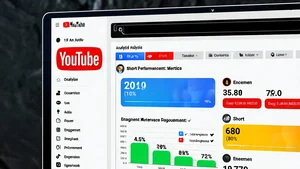
Check your YouTube Studio analytics. Look at traffic sources. See if "Hashtag" shows up as a source. If it never appears, your hashtags aren't doing anything.
Also watch where your impressions are coming from. Shorts feed versus Browse features versus Direct searches. Different hashtag strategies drive different traffic patterns.
After a month of testing you'll know exactly which hashtag approach works for your specific content style and niche.
The First Hour Strategy
The first hour after posting is when hashtags matter most for Shorts. That's when the algorithm is deciding where to test your video.
I make sure my hashtags are clear and specific during that window. After the first few hours, your Short lives or dies on engagement metrics, not hashtags.
Think of hashtags as your entry ticket. They get you into the game. Performance keeps you there.
Building Your Hashtag Library
I keep a running list of hashtags that have worked well for my successful Shorts. When something performs above average, I note which tags I used.
Over time you build a collection of proven tags for different content types. Comedy Shorts get one set, tutorial Shorts get another, behind the scenes Shorts get a third set.
This beats starting from scratch every time you post.
The Reality Check
Hashtags won't save a boring Short. They won't make bad content go viral. They're just signals helping the algorithm understand what you made.
If your content is engaging, hashtags amplify that. If your content is weak, hashtags won't fix it.
Focus on making Shorts people actually want to watch. Then use hashtags strategically to help those Shorts find the right viewers. That's the order that works.
YouTube Shorts is still evolving how it uses hashtags. What works now might change in six months. Stay flexible, test regularly, and pay attention to your own analytics over generic advice.
The creators winning with Shorts aren't the ones with perfect hashtag formulas. They're the ones making content people can't scroll past. Get that right first, then optimize the hashtags around it.