
Best Free Background Remover for E-Commerce in 2026 | Cliptics
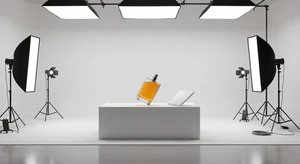
If you've ever uploaded a product photo and watched your sales stay flat, background might be the culprit. Sounds simple, almost too simple. But the difference between a product on a busy kitchen table versus that same product on a clean white background is kind of massive when you're selling online.
The good news is you don't need a photography studio or Photoshop skills to fix this. In 2026, free AI background removers have gotten really good. Like, genuinely impressive. And this guide is going to walk you through the best ones for e-commerce, how to use them, and which platforms actually care about your backgrounds.
Why Background Removal Actually Matters for E-Commerce
Let's start with the honest truth. Most shoppers spend less than three seconds deciding whether to click on a product listing. Three seconds. Your product image does almost all the work in that window.
A cluttered background pulls attention away from what you're selling. Shadows, random objects in the frame, colored walls, all of that competes with your product. A clean white or transparent background puts all the focus exactly where it needs to be.
There's also the practical side. Amazon, Etsy, Shopify, and most major platforms have image requirements. Amazon specifically demands pure white backgrounds for main product images. Getting this right isn't optional if you want your listings to look professional and stay compliant.

The old way to do this involved Photoshop, a clipping path, and probably an hour of your time per photo. Now AI tools do it in seconds. Most of them are free. And a few of them are really, really good.
The Best Free Tools to Remove Backgrounds in 2026
Cliptics Background Remover is where most e-commerce sellers should start. You can remove backgrounds completely free with no account required, no watermarks, and nothing to install. Upload your product photo, the AI handles the selection, and you download the transparent PNG. The whole thing takes about ten seconds.
What makes it work well for product photos specifically is how it handles edges. Hair and fur are notoriously tricky, but for the clean product edges you get with most e-commerce items like bags, shoes, electronics, clothing, it's clean and accurate. If you want to jump straight to editing without anything in the browser, Cliptics also has an in-browser background remover that processes locally on your device.
Need a white background specifically? After removing the background, you can use Cliptics to add a white background to your photo, which handles the Amazon compliance requirement in one step. And if you want to keep the transparent version for overlays or marketing materials, the transparent image maker saves it exactly that way.
Remove.bg is the one most people have heard of. It's solid, handles a wide range of product types, and the free tier lets you download lower resolution versions which honestly works fine for most social media uses. The paid version is needed for bulk processing and high resolution.
Canva's Background Remover is worth mentioning because a lot of sellers are already in Canva designing graphics. If you're building product mockups or social posts, being able to remove backgrounds within the same tool saves steps. The tradeoff is it requires a Canva Pro subscription.
How to Use These Tools Step by Step
Here's a workflow that works for most e-commerce product photos. Take your photo in decent lighting, ideally natural light near a window or a simple lightbox setup. You don't need perfection here. The AI can handle some shadows and imperfect edges.
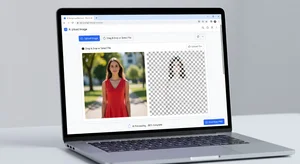
Go to Cliptics Remove Background and upload your image. The tool processes it automatically. No drawing outlines, no manual masking. Just wait a few seconds and your background is gone.
From there you have options. Download as PNG with transparent background if you're putting the product on a custom background in your store. Or add the white background right there if you need it for Amazon or a marketplace that requires white.
If you're doing multiple products, create a simple routine. Batch your shooting, then batch your editing. Upload ten photos, download ten, move on. Most free tools including Cliptics let you do multiple images without making you create an account, though creating one usually lets you save and access your history.
Platform-Specific Tips
For Amazon: Your main product image must have a pure white background (RGB 255, 255, 255) with the product filling at least 85% of the frame. Using Cliptics to add white background gives you exactly this. No guesswork.
For Shopify: More flexibility here. White works universally but lifestyle images also perform well. Many stores use consistent light gray or off-white for a warmer feel. The transparent PNG option lets you overlay products onto any background you want.
For Etsy: Handmade and vintage sellers often do well with light neutral backgrounds that have some warmth. Pure white can feel cold for certain product categories. A transparent background lets you drop your product onto a light wood texture or soft fabric background in your editor.
For Instagram shopping: Here consistency matters more than the background itself. Pick one background style and stick with it across all product shots. That grid coherence is what makes brands look polished.
What to Look for in a Free Tool
Not every free background remover is worth your time. A few things to check before committing to a tool for your workflow.
Edge quality on complex items. If you sell clothing, look at how the tool handles fabric edges and buttons. If you sell jewelry, fine chains and delicate details matter a lot. Most tools handle simple shapes really well but struggle with fine detail.
Export quality. Some free tiers limit you to lower resolution files. For product listings you want the highest resolution possible, especially if your marketplace zooms in on hover. Make sure you can get a clean high resolution download.
Speed and bulk handling. If you have hundreds of products, a tool that makes you click through several steps per image gets old fast. Look for drag and drop, batch upload support, or direct download without extra clicks.
The Practical Upside Nobody Talks About Enough
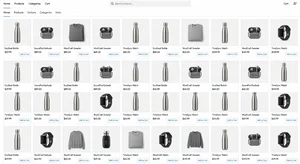
Here's something sellers figure out after a while. Clean product photos don't just look better, they build trust faster. When a shopper sees professional, consistent images, they make a subconscious judgment about the quality of your business. Messy backgrounds signal a side hustle. Clean backgrounds signal a real store.
That trust translates directly into clicks and conversions. Not because the background itself matters to the customer consciously, but because it shapes how they feel about your store in those first three seconds.
The free tools available right now in 2026 genuinely remove any excuse to not have clean product photos. You can take a photo with your phone, run it through Cliptics in ten seconds, and have a professional-looking result. That's the bar. Not photography school, not expensive software. Just a decent photo and a free tool.
Start with one product. Fix its background, update the listing, and see what happens. Most sellers who do this never go back to posting unedited shots again.