
Describe Any Photo with AI in Seconds
Upload a photo, and our AI will tell you exactly what it sees. Whether you need quick social media captions, detailed alt text for accessibility, or rich visual descriptions for your content, this free image description generator handles it all. Just pick a length and get natural, accurate results instantly.
Smart Visual Analysis
Recognizes scenes, objects, people, and context within your photos
Instant Descriptions
Get your photo described in seconds, not minutes
Completely Free
No signup, no hidden costs, and your images stay private
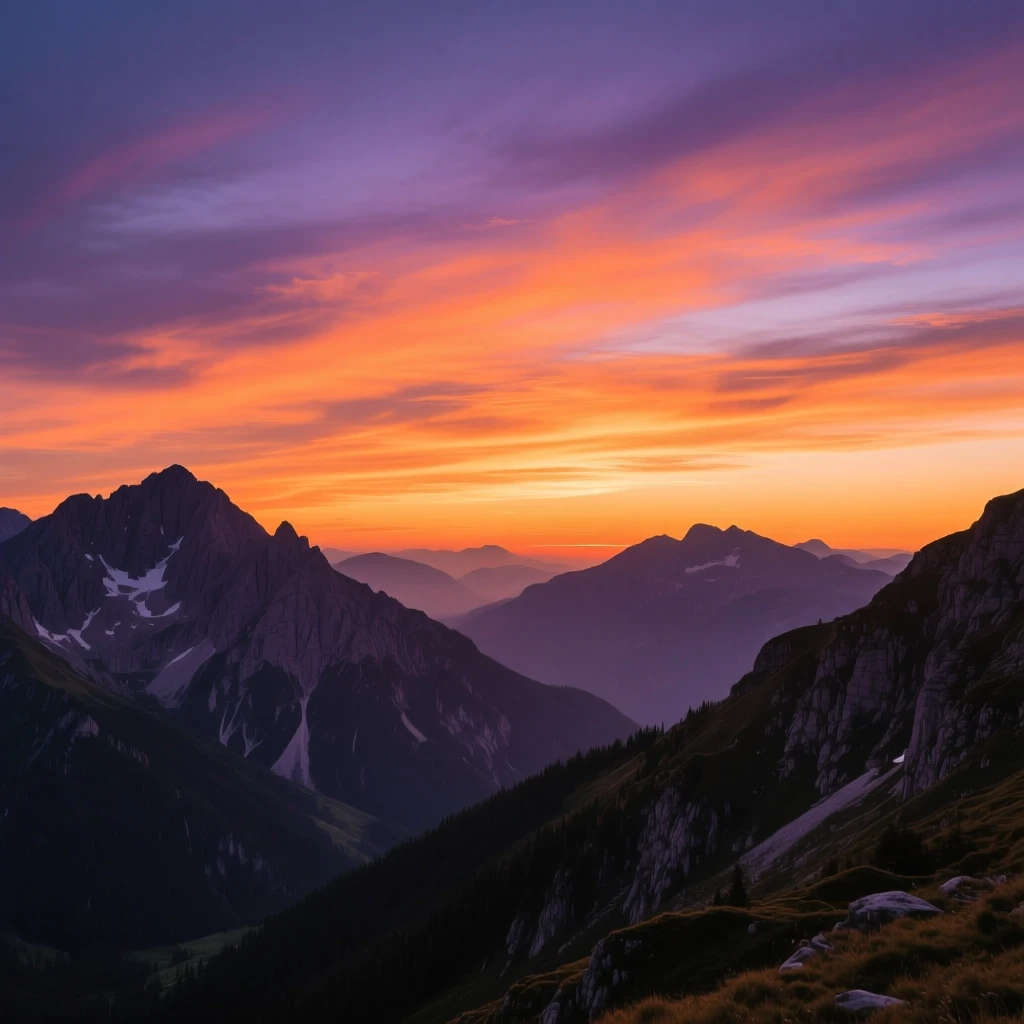
A breathtaking sunset over mountain peaks, with vibrant orange and purple hues painting the evening sky, creating a serene and majestic natural landscape.
AI Image Description Generator
Upload an image and select caption length to generate descriptive text
Upload Image
Drag & drop or click to upload
PNG, JPG, WEBP (max 10MB)
Why Use Our Image Description Generator?
Stop spending minutes writing descriptions by hand. Our AI image describer looks at your photo and writes accurate, natural text in seconds. Whether it's for alt text, blog posts, or product listings, you'll get descriptions that actually sound like a person wrote them. Pair it with our background remover or AI image generator for a complete visual workflow.
Understands What It Sees
This isn't a simple label generator. Our AI grasps the full scene, the relationships between elements, and the mood of your photo. You get descriptions that capture what's actually happening, not just a list of objects.
- Reads context and emotion
- Writes naturally flowing text
- Identifies people, places, and objects
Saves You Real Time
Writing a good description takes 2 to 5 minutes per image when done manually. With this tool, you get quality results in about 5 seconds. That adds up fast when you're working through a batch of product shots or blog images.
- Results in seconds
- No waiting or processing queues
- Runs on any device with a browser
Free and Private
No account creation, no credit card, and no catch. Your photos are processed on the fly and never stored on our servers. We built this tool because everyone deserves access to good descriptions without paying a subscription.
- Zero cost to use
- Your images are never saved
- Secure processing
Who Benefits from AI Image Descriptions?
Social Media Managers
Generate scroll stopping captions for Instagram, Facebook, and Twitter posts without staring at a blank text box for ten minutes.
Web Developers
Create meaningful alt text that meets WCAG accessibility guidelines and makes your sites usable for people who rely on screen readers.
SEO Specialists
Produce keyword rich image descriptions that help your visuals rank in Google Image Search and improve overall page performance.
Content Writers and Bloggers
Add polished image descriptions to articles and tutorials in seconds. Readers get more context, and search engines get more text to index.
Online Store Owners
Turn product photos into compelling descriptions automatically. Shoppers understand what they're buying, and your product pages rank higher.
Digital Archivists
Catalog thousands of photos with searchable metadata. Museums, libraries, and organizations can make their collections discoverable without manual tagging.
How to Describe an Image with AI
Three steps. No learning curve. No signup.
Upload Your Photo
Click the upload area or drag your image straight in. We accept JPG, PNG, and WebP files up to 10MB. Whether it's a product shot, landscape, portrait, or anything else, just drop it in and you're set.
Pick Your Description Length
Need something quick for a social post? Go with short. Writing a blog and want solid context? Normal works great. Building out accessibility documentation or need thorough coverage? Long gives you the full picture in 4 to 6 sentences.
Copy Your Description
The AI analyzes your photo and writes a clear, natural description. Copy it directly to your clipboard, tweak a few words if you like, and paste it wherever you need. The whole process takes less than ten seconds.
What Makes This Image Describer Different
Built for people who actually need image descriptions in their workflow
It Tells the Story, Not Just the Objects
Most tools spit out something like "person, bicycle, park." Ours writes "A cyclist enjoying a sunny afternoon ride through a peaceful park." The difference matters when your readers or customers actually need to understand what's in the photo.
Our AI picks up on activities, emotions, lighting, weather, and the spatial relationships between elements. The result reads like something a person would write after looking at your image thoughtfully.
Three Lengths for Three Different Needs
Short keeps things tight. One to two sentences that capture the essentials without padding. Perfect when character limits matter or you just need a label.
Normal gives you the sweet spot for most use cases. Blog images, website content, product pages. Long goes deep. It's what you want for thorough alt text, academic documentation, or when every visual detail counts.
Descriptions That Help You Rank
Google cannot look at a photo the way we can. It relies on surrounding text, alt attributes, and descriptions to understand what an image shows. When your images have detailed, relevant descriptions, they're far more likely to appear in image search results.
Our photo description generator naturally weaves in descriptive keywords without forcing them. The output reads well for humans and gives search engines the context they need.
Built for Accessibility from Day One
Screen readers depend on alt text to convey visual information to people with visual impairments. Generic placeholder text like "image123.jpg" does nothing to help. Our tool generates meaningful descriptions that actually communicate what the photo contains.
Meeting accessibility standards like WCAG isn't just a nice thing to do. In many regions it's a legal requirement for websites. This tool makes compliance straightforward.
Real Ways People Use This Tool Every Day
From solo creators to enterprise teams, here's how AI image descriptions fit into real workflows
Content Creators and Influencers
Posting daily content means writing dozens of captions every week. The creative energy that should go into your actual content gets drained by the repetitive task of describing each photo. Upload your image, grab the generated description, and tweak it to match your voice. You save 20 to 30 minutes per day and your captions stay consistent.
Use short mode for quick stories and reels, normal for feed posts that need context, and long when you're writing educational or storytelling content where visual detail matters.
Web Developers Building Accessible Sites
Every image on a website should have proper alt text. On a site with hundreds of images, writing each one by hand is painful. This image description generator produces meaningful alt text that screen readers can actually use. Copy the output straight into your alt attribute and you've taken a real step toward WCAG compliance.
The descriptions also double as SEO content. Better alt text means better image indexing, which means more organic traffic from Google Image Search.
Ecommerce Teams with Large Catalogs
When you're listing hundreds of products, each needing a description that mentions color, material, style, and features, the work piles up fast. Our AI looks at your product photos and writes descriptions that highlight the details customers care about. Shoppers get a clearer picture of what they're buying, which drives conversions and cuts down on returns from mismatched expectations.
Rich product descriptions also improve your rankings on Google Shopping and marketplace search results. More visibility means more potential buyers finding your products.
Bloggers and Freelance Writers
Every image in a blog post is an opportunity to give readers more context and to help search engines understand your page better. But writing a fresh description for every photo in every article gets tedious after a while. Let the AI handle the first draft. You review it, add a personal touch if needed, and move on.
This works especially well for travel blogs, recipe posts, tutorials, and review articles where images carry as much meaning as the written content.
Libraries, Museums, and Archives
Institutions managing thousands of photographs face an overwhelming cataloging challenge. Each image needs searchable metadata so researchers, students, and the public can find what they're looking for. Running photos through an AI image describer generates consistent, detailed records that make entire collections browsable.
Descriptions can include details about subjects, settings, time periods, activities, and visual elements that someone might use as search terms when exploring a digital collection.
App Developers Adding Smart Features
If you're building a platform where users upload photos, automatic descriptions improve the experience significantly. Users get a starting point instead of a blank text field, which means they post faster and with better metadata. It's a small feature that makes a big difference in engagement.
This is especially valuable for apps focused on accessibility or for content platforms where searchable image metadata drives discovery.
Getting the Best Results from Your Photos
A few quick tips to make your descriptions even more accurate
Use Clear, Well Lit Images
Photos with good lighting and sharp focus produce the most accurate descriptions. The AI can identify elements more reliably when nothing is hidden in shadows or blown out by overexposure. Natural light and proper exposure go a long way.
Match Length to Purpose
Short works for thumbnails, quick labels, and social media where brevity counts. Normal covers most professional use cases like blog posts and websites. Long is the right call when you need thorough accessibility documentation or when every visual detail carries meaning.
Add Your Own Voice
The AI gives you a strong starting point, but your brand voice makes it memorable. Review the output, swap in a phrase or two that sounds like you, and add any context the AI couldn't know (like product names or event details). Think of it as a draft, not a final copy.
Think About Your Audience
A technical audience might appreciate specific details about equipment or processes visible in the photo. A general audience prefers plain, approachable language. Marketing teams want descriptions that highlight benefits. Let the generated text guide you, then adjust the tone for your readers.
AI Descriptions vs Writing by Hand
See how much time and effort you save
| Factor | Writing Manually | AI Description Generator |
|---|---|---|
| Time per image | 2 to 5 minutes | About 5 seconds |
| Consistency across images | Varies by writer and fatigue | Reliable and uniform |
| Handling large batches | Hours of repetitive work | One at a time, still fast |
| Search engine value | Depends on SEO knowledge | Naturally descriptive keywords |
| Cost | Your time or a copywriter's rate | Free |
Bottom line: You get descriptions 24 to 60 times faster without sacrificing quality. For anyone managing multiple images regularly, that's hours back in your week.
Common Questions About Image Descriptions
Everything you need to know before getting started
What exactly does this tool do?
It looks at the visual content of your photo and writes a new text description of what it sees. The AI identifies objects, people, scenes, activities, colors, and spatial relationships, then composes a naturally written summary. You choose how detailed you want it: short, normal, or long.
Is this the same as OCR or text extraction?
No, and this is a common point of confusion. OCR (optical character recognition) reads text that already exists within an image, like words on a sign or text in a scanned document. Our image description generator does something completely different. It analyzes the visual scene and writes an original description of what appears in the photo. If you need to pull text out of a screenshot, you want an OCR tool. If you need someone (or something) to look at your photo and tell you what's in it, you're in the right place.
Which image formats work?
JPG, JPEG, PNG, and WebP. These cover virtually every image you'll encounter online. The maximum upload size is 10MB, which is plenty for most photos including high resolution shots.
How good are the descriptions?
Very good for most use cases. The AI has been trained on millions of image and text pairs and produces descriptions that accurately reflect what's in your photo. Clear photos with good lighting yield the best results. We always recommend a quick review to add any personal or brand specific details the AI wouldn't know.
Can I use the output for commercial purposes?
Yes, without any restrictions. Every description you generate is yours. Use it on your business website, in product listings, on social media, in marketing emails, or anywhere else. There are no licensing limitations or attribution requirements.
What happens to my photos after upload?
They're processed long enough to generate your description, then deleted. We don't keep copies, don't build training datasets from user uploads, and don't share your images with anyone. Your photos are your business.
When should I pick each length option?
Short (1 to 2 sentences) is ideal for social media posts, image galleries, and anywhere you need a quick label. Normal (2 to 4 sentences) gives you balanced detail that works for blog posts, websites, and product pages. Long (4 to 6 sentences) provides full visual coverage, which is what you want for accessibility alt text, academic work, or documentation where thoroughness matters.
Does this help with search engine optimization?
Definitely. Search engines use image descriptions and alt text to understand and index visual content. Photos with detailed, relevant descriptions are more likely to show up in Google Image Search. Beyond images specifically, well described visuals also improve the overall content quality signal of your page, which contributes to higher rankings across the board.
Other Tools You Might Like
Text to speech online free unlimited with 75,000 character limit. Convert massive documents, books, and content without restrictions. No signup required, unlimited daily conversions.
Create professional dialogues and conversations with multi speaker text to speech. 50 voices, 75K total characters. Free dialogue generator for audiobooks, podcasts & training. No signup.
Upload a room photo and see it transformed into 15+ design styles. Modern, Scandinavian, Bohemian, Japanese, and more. Free AI interior design visualizer with before/after comparison.